Does your company have an AI policy yet? If the honest answer is “sort of” or “not really,” you’re in good company. In most businesses it happened the same way. A few people started using AI tools to get through their work faster, it helped, word spread, and nobody ever sat down to write the rules.
That’s fine, until it isn’t. Someone pastes a customer list into a free chatbot to tidy it up. Someone else sends a client a report with a statistic the AI made up. A finance lead opens a bill for five different AI subscriptions nobody approved. Suddenly everyone is asking why there wasn’t a policy.
We’re the team behind Grengin, an open-source AI workspace that helps companies give their people AI with proper guardrails. We spend a lot of our time helping teams with exactly this problem, so we wrote the policy we wish everyone had. Below is a complete AI acceptable use policy template in plain English. Copy it, fill in your details, and you can have a solid first draft within the hour. We’ve also added practical tips on getting people to actually follow it, which, honestly, is the harder part.
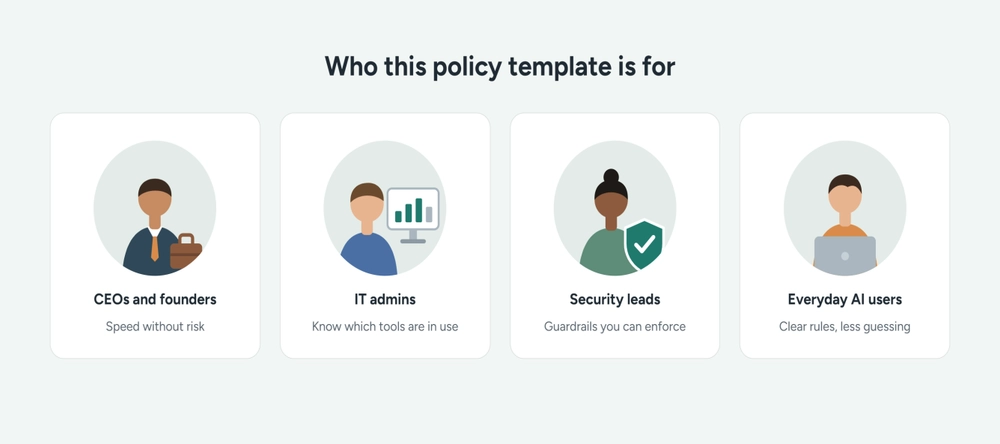
Who this guide is for
Whether you run the company or simply use AI every day, there’s something here for you.
CEOs and founders. You want your team moving faster with AI without waking up to a data leak or a surprise bill. This gives you a policy you can sign off in an afternoon and a clear picture of what safe AI use looks like in practice.
IT owners and admins. You’re the person who gets asked “can I use this?” ten times a week. The template gives you a written answer, and the Grengin section shows how to back it up with settings rather than reminder emails.
Security, compliance and legal teams. You’ll find the guardrails you’d expect: restricted data, credential rules, human review for high-stakes decisions, and logging with clear limits. Use it as a base and tighten it for your industry.
Everyday AI users. If you just want to know what you can and can’t paste into a chatbot, sections 3 to 5 of the template cover it in plain English.
And if you work in the IT sector, or sell to clients who ask about your AI practices, having this written down makes those conversations a lot easier.
Why most AI policies end up ignored
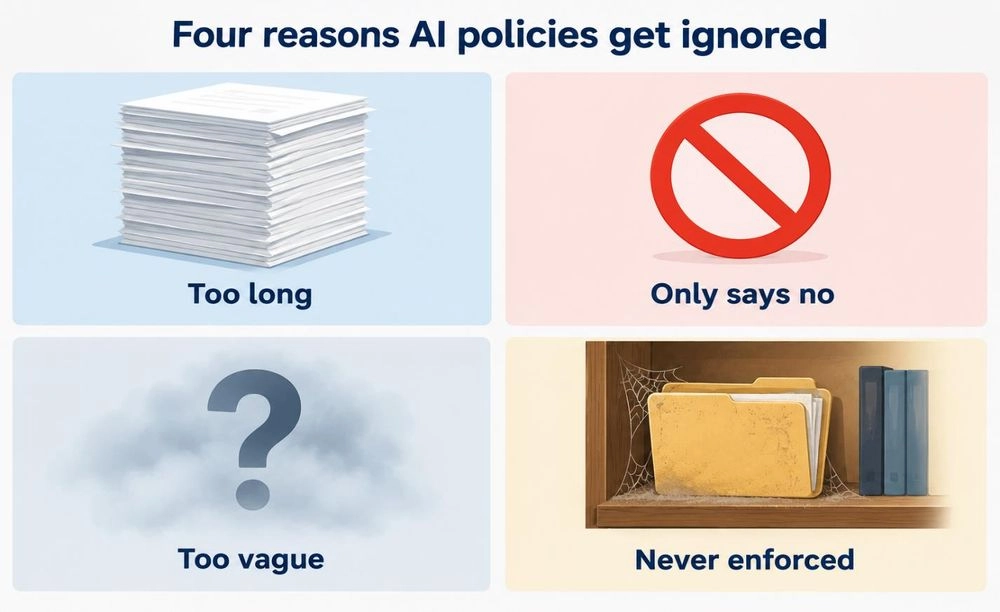
We’ve read a lot of AI policies over the past couple of years. The ones that get ignored tend to go wrong in the same four ways.
They’re too long. Twelve pages of legal language might keep the lawyers happy. Everyone else gives up somewhere around page two.
They only say no. Hand people a list of banned tools with no approved alternative and they’ll quietly go back to their personal accounts. Now IT can’t see any of it.
They’re vague. “Use AI responsibly” sounds sensible. It’s no help at all to someone wondering whether they can paste a supplier contract into a chatbot.
Nobody enforces them. If the rules only live in a PDF somewhere, they aren’t really rules. They’re suggestions.
We’ve tried to avoid all four with the template below. It’s short, it tells people what they can do, it uses real examples, and it’s built to be backed up by the settings in your AI platform.
How to use this template
Anything in [square brackets] is a placeholder. Swap it for your own details: your company name, the AI workspace you’ve approved, the person people should contact, and so on.
Cut whatever doesn’t fit. A 15-person agency doesn’t need the same policy as a bank. If you work in a regulated industry like healthcare, finance or law, get your legal or compliance team to look over the final version before it goes out. If you’d like a broader framework to check your draft against, the free NIST AI Risk Management Framework is a solid reference. Companies operating in the EU should also keep the EU AI Act in mind.
Double-check that the sign-in method, budget rules and access steps match how your tools really work, and drop anything your tools can’t support. Two sections need a specialist’s eye. Ask a lawyer to tailor section 7 on ownership, because it doesn’t replace a proper ownership agreement. And ask your privacy or legal team to review section 9, since logging what people do can create privacy obligations of its own, for example under the GDPR.
One more tip: this isn’t a one-and-done job. Put a reminder in your calendar to review the policy every six months. AI tools change fast, and your policy has to keep up.
A quick but important note. This template is a starting point, not legal advice. Adapt it to your actual tools, contracts, data practices and the laws that apply to you. Before you promise anything about data protection, training use, logging or access, check that your tools and agreements really deliver it. Then have your HR, security, privacy and legal owners review it before rollout.
The template
Everything between the START and END markers is yours to copy.
[START OF TEMPLATE]
[Company Name] AI Acceptable Use Policy
- Effective date: [date]
- Policy owner: [name and role]
- Next review: [date, six months from now]
1. Why we have this policy
AI tools help us write, research, analyze and build things faster, and we want you to use them wherever they make sense. This policy explains how to do that safely, so we get the benefits without putting our customers, our colleagues or the company at risk.
2. Who this applies to
This policy applies to everyone who works at or for [Company Name]: employees, contractors and interns. It covers any time you use AI for work, including on a personal device or outside office hours. It also covers every kind of AI tool, whether that’s a standalone app, an AI feature built into software we already use, or AI accessed through an API.
3. Approved AI tools
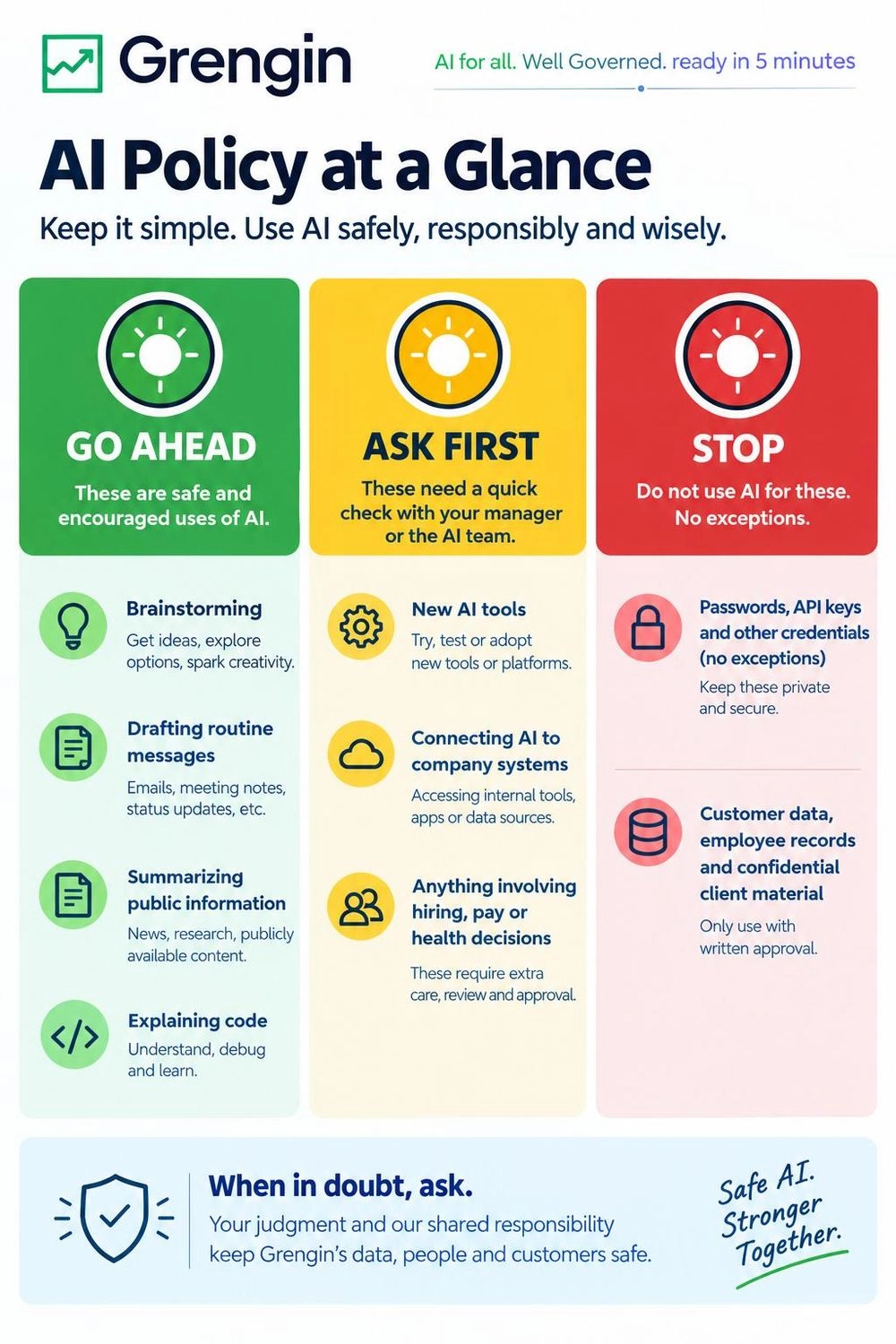
For work, use only company-approved AI tools and accounts. At the moment that’s [approved AI workspace, e.g. Grengin], which you can reach at [link] with your usual company login.
Before we approve a tool, we check its security, how it handles and stores data, and its contract terms. [IT/security] looks after how each tool is set up, including any limits on the provider using our data to train its models.
Please don’t use personal AI accounts for company work. We have no reliable way to manage their settings, who can access them, or what happens to the data.
Good everyday uses for approved tools include brainstorming, drafting routine messages, summarizing public information, and writing or explaining code. Just make sure what you put in follows section 4, and review what comes out before you rely on it. Anything covered in section 6 needs extra approval first.
Want to try a different AI tool? Ask [contact or team] first. We’re genuinely open to new tools. We just need to check them before any company data goes near them.
4. Restricted information
Don’t put any of the following into an AI tool unless [security/privacy team] has approved, in writing, that specific tool, that type of data and that use case. Internal approval never overrides the law or our contract obligations.
- Customer personal data, such as names with contact details, ID numbers or payment information
- Employee records, including salaries, performance reviews and health information
- Unreleased financial results or details of deals
- Anything covered by an NDA or marked confidential by a client
- [Anything else specific to your business]
Credentials are the one rule with no exceptions. Never paste passwords, API keys, access tokens or any other credentials into a prompt or an uploaded file. When you connect tools, use only approved, secure setup methods.
Not sure whether something counts? Leave it out and ask [contact].
Keep in mind that deleting a name doesn’t always make information safe to share. A location, a job title, a purchase history or an unusual situation can still point to a real person. Strip identifying and confidential details out of text, attachments, screenshots and file metadata. If you’re unsure whether what’s left is okay, check with [contact] before you upload it.
5. You’re responsible for what you use or send
AI gets things wrong, and it can sound completely sure of itself while doing it. It sometimes invents facts, figures, quotes and references.
So treat anything AI gives you as a first draft. Before you rely on it for a work decision, share it, publish it or put it into production:
- Check every fact, number and name
- Review code before merging it, just as you would a colleague’s
- Make sure the tone and content meet our standards
Whether you wrote it yourself or AI helped, you’re the one responsible for checking what you use or send.
6. Uses that need extra approval
AI should never be the only basis for decisions about hiring, pay, employee performance, credit, healthcare or anyone’s legal rights. These uses need approval from [legal/compliance], plus review by a qualified person who can question the output and override it. Some of these uses may be against the law even with a human involved.
Before you connect an AI tool to company systems or let it take actions, get approval from [IT/security]. Give it only the access it actually needs. A person must confirm before an AI tool sends external messages, deletes data, changes access permissions, makes purchases or takes any other action [IT/security] has flagged.
And never use AI to deceive, impersonate, harass or discriminate against anyone.
7. Who owns AI-assisted work
Who owns AI-assisted work depends on the law, your employment or contractor agreement, and the AI provider’s terms. Using AI doesn’t guarantee that the output is original, belongs only to us, or qualifies for copyright protection.
Don’t use AI to reproduce or share someone else’s material, such as articles, song lyrics or a competitor’s marketing copy, unless you have permission or another lawful basis.
8. Accounts and access
- Sign in to [approved AI workspace] only through [our company single sign-on / approved sign-in method].
- Your account is yours alone. Don’t share it or let anyone else use it.
- When you leave [Company Name], your access is removed as part of our offboarding process.
- Each team has a monthly AI budget. If yours needs more, talk to [contact].
9. What we log, and why
We’d rather be upfront about this. Our approved AI tools log [categories of information, e.g. prompts, responses and admin actions]. We do this to keep our data safe, meet our legal obligations and keep costs under control.
Logs are kept for [retention period], and only [authorized roles] can access them, for [specified purposes]. We won’t use them to keep tabs on your day-to-day productivity. We’ll only look at an individual’s activity if there’s a security concern, a legal requirement or a suspected breach of this policy.
10. If something goes wrong
Mistakes happen. What matters is telling us quickly.
If you think you’ve put sensitive information into an AI tool, or you’ve noticed AI output causing a problem, stop what you’re doing and contact [contact or channel] straight away. Tell us which tool you used, what happened and when. Please don’t repost the sensitive information in a general support channel, and don’t delete any related records unless we ask you to.
The sooner we know, the easier it is to fix. We want people to report problems promptly and in good faith, and we don’t allow retaliation against anyone who raises a concern. Reports are handled through our incident-response and HR procedures.
Deliberately ignoring this policy, especially the rules in section 4, may lead to disciplinary action under our normal procedures.
11. Questions and updates
Got a question about this policy, or an idea to make it better? Get in touch with [policy owner]. We’ll review the policy every six months, or sooner if an approved tool significantly changes how it handles data or something else important changes. We’ll let everyone know whenever it’s updated.
[END OF TEMPLATE]
How to get people to actually follow it
Writing the policy is the easy bit. These are the things that decide whether people follow it or whether it quietly gathers dust in a shared drive.
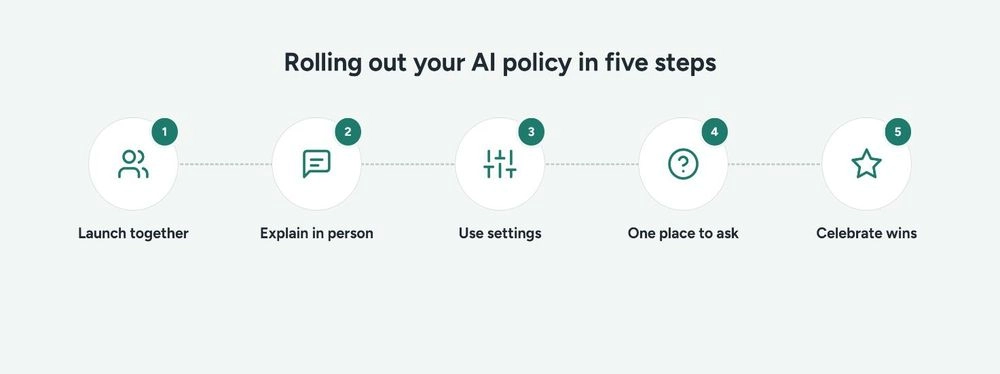
Launch it alongside the tool, not before. Telling people to “stop using your personal account” only works if something better is ready for them on day one. Grengin can be up and running in about five minutes, so there’s no awkward gap between the announcement and the approved alternative.
Explain the why, face to face. Spend ten minutes in a team meeting walking through section 4. People stick to rules they understand far more readily than rules that just landed in their inbox.
Let your platform do the enforcing. Wherever you can, turn the policy into settings. Single sign-on backs up section 8. Budget caps keep spending in check. PII detection can help cut down on accidental leaks, though it won’t catch everything and it’s no substitute for people checking what they submit. The more the tools handle, the less people have to remember, but training and good judgment still matter.
Make it easy to ask. Give people one obvious place for “is this okay?” questions, like a Slack channel or a named person. Quick answers stop people from guessing.
Celebrate the good stuff. Share examples of people using AI well. A policy that only talks about risk makes AI feel scary. Put it next to a few real wins and it starts to feel useful.
Put your policy into practice with Grengin
A good AI policy tells people what to do. The right platform makes it easy for them to do the right thing, and hard to do the wrong thing by accident.
Grengin gives your whole company one branded AI workspace with access to OpenAI, Anthropic Claude, Google Gemini and a range of open-source models. Your people get the models they need in one place. Your admins get the controls this policy depends on.
How Grengin backs up each part of the policy
| Policy section | What it asks for | How Grengin helps |
|---|---|---|
| 1. Approved AI tools | One approved place to use AI | A single workspace for every major model, with admins choosing which providers and models each team can use |
| 2. Restricted information | Keep sensitive data out of prompts | Built-in PII detection helps flag personal data before it’s sent, as a safety net alongside people’s own checks |
| 3. Extra approval | Control what AI connects to | Role-based permissions and per-tool access rules for MCP integrations with tools like Jira, Confluence and Google Drive |
| 4. Accounts and access | SSO, no shared accounts, team budgets | SSO with Google and Azure AD, domain allow-listing, and spending caps per user, department or project |
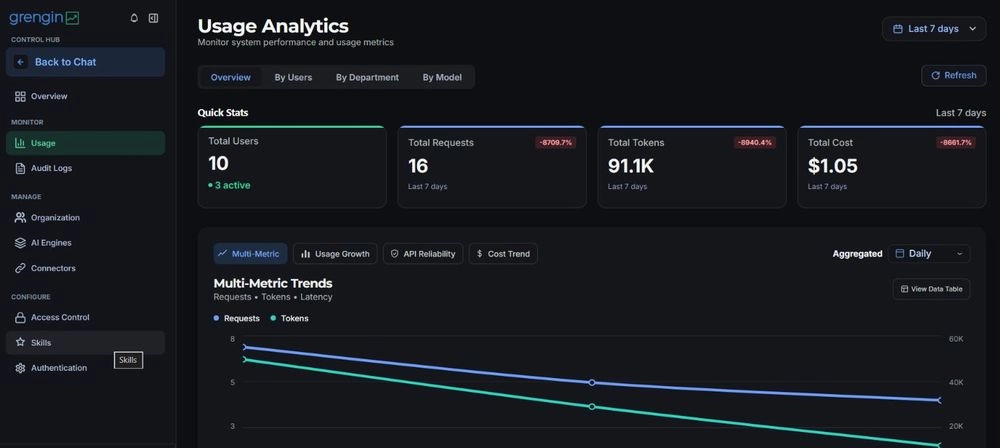
| 5. Logging | Clear, limited record-keeping | Audit logs of admin actions and usage analytics by user, department and model, exportable for compliance |
Why teams choose Grengin
Your data stays yours. When you self-host, Grengin runs in your own cloud on your own API keys, so prompts and responses travel from your environment to the model provider. Usage runs through your own provider agreements, and you pay providers directly with no markup from us.
It’s open source. The code is public under the Apache 2.0 license, so your security team can read it, audit it or fork it on GitHub. No black boxes, no vendor lock-in.
It’s quick to set up. You can launch it from the AWS Marketplace, run it with Docker, or let us host it for you on Grengin Cloud. Step-by-step guides for SSO and connecting model providers are in the Grengin community docs.
Pricing is simple. Grengin Cloud has no platform fee for teams of up to 10 people, though AI provider usage charges still apply. Self-hosting has no software license fee at any team size, but you’ll still pay for hosting and AI provider usage.
Before you roll out, check that your plan, provider agreements and configuration match what your policy promises.
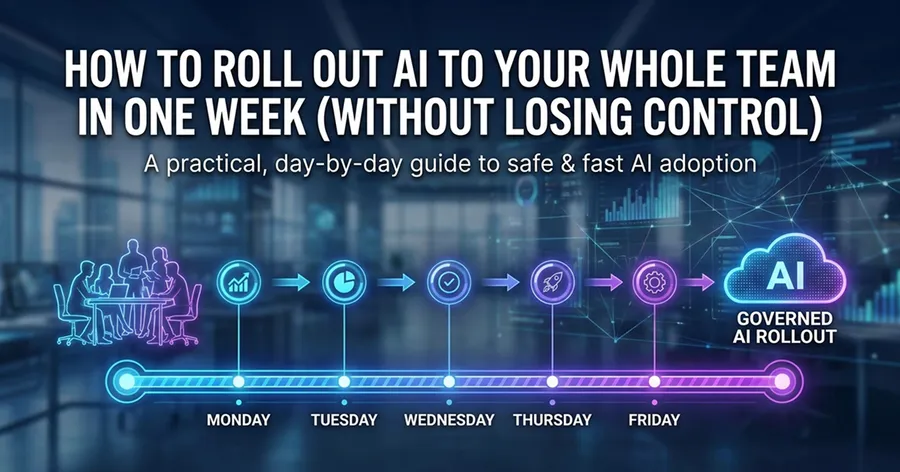
Want a day-by-day plan for getting your policy and your AI workspace live together? Our guide to rolling out AI to your whole team in one week walks you through it.