Most companies don’t have a knowledge problem. They have a knowledge retrieval problem. The answer to almost any recurring question — how refunds work, what the escalation policy is, where the onboarding checklist lives — usually exists somewhere. It’s just buried in a Slack thread from March, a Google Doc three people can find, or a wiki page nobody’s touched since last year.
We compared the knowledge base platforms teams are actually adopting in 2026 — including a newer category of AI-native tools that skip static pages entirely and let people just ask a question instead. Below you’ll find a quick shortlist, a side-by-side pricing comparison, and a full breakdown of each platform’s strengths, weaknesses, and ideal use case, so you can match the tool to what your team actually needs instead of whichever one has the loudest marketing.
A Quick Note on How We Put This List Together
Pricing and feature details for every tool were pulled from each vendor’s own pricing pages and recent, independent reviews as of mid-2026, not from marketing copy alone. Where public pricing wasn’t available (Bloomfire, for instance), we’ve noted that clearly rather than guessing at a number. If you spot something that’s changed since publication, features and prices in this space move fast, so it’s always worth confirming directly with the vendor before you buy.
Quick Shortlist
- Confluence — Best for large orgs already living in the Atlassian ecosystem
- Notion — Best for flexible, all-in-one team wikis
- Stonly — Best for high-volume customer service teams
- Guru — Best for verified answers delivered inside the tools you already use
- Slite — Best for a lightweight, AI-first internal wiki
- Tettra — Best for Slack-native teams that don’t want to leave the channel
- Nuclino — Best for visual, lightweight documentation
- Bloomfire — Best for large knowledge programs in regulated industries
- Helpjuice — Best for flat-rate pricing that doesn’t punish you for growing
- Document360 — Best for customer-facing docs with deep version control
Pricing & Plans Compared
| # | Tool (jump to review) | Best For | Trial | Starting Price |
|---|---|---|---|---|
| 1 | Confluence | Atlassian-ecosystem teams | Free plan + 7-day trial on paid tiers | Free (10 users); Standard ~$6/user/mo |
| 2 | Notion | Flexible all-in-one wikis | Free plan, no card needed | Free; Plus ~$10/user/mo |
| 3 | Stonly | High-volume customer service teams | Free Basic plan + 14-day trial | Free (1 user, 400 views/mo); Small Business ~$199/mo billed annually per public estimates |
| 4 | Guru | Verified in-workflow answers | Free trial (10-seat min applies) | ~$25/seat/mo (10-seat minimum) |
| 5 | Slite | AI-first internal wiki | 14-day free trial | ~$10/user/mo |
| 6 | Tettra | Slack-native teams | 30-day free trial | ~$8/user/mo (10-user minimum) |
| 7 | Nuclino | Visual, lightweight docs | Free plan + trial | Free; Starter ~$6/user/mo |
| 8 | Bloomfire | Regulated, large enterprises | Demo/quote-based | Custom, typically $500+/mo |
| 9 | Helpjuice | Flat-rate at scale | 14-day free trial | Flat $249/mo (30 users) |
| 10 | Document360 | Customer-facing docs with version control | 14-day free trial | Quote-only since 2024; public estimates start ~$199/mo |
In-Depth Reviews
1. Confluence — Best for Atlassian-ecosystem teams
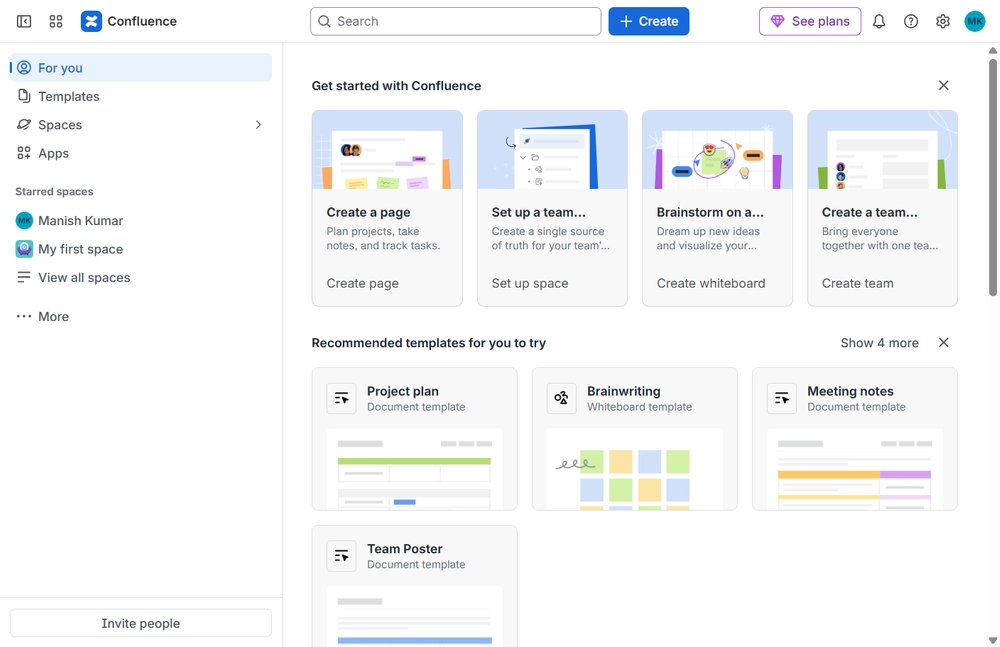
Confluence remains the default answer for teams already running Jira, and 2026 has pushed it further into AI territory with Atlassian’s Rovo assistant layered on top of search. Its strength has never really been elegance — it’s depth. Nested spaces, granular permissions, and native linking to Jira tickets make it genuinely useful for engineering and IT teams that need documentation tied directly to work items. The tradeoff is that Confluence was built for large, structured organizations, so leaner teams often end up paying for administrative depth they’ll never fully use.
Best for: Companies already committed to the Atlassian stack who want documentation and project tracking to share the same permission model.
Who should skip it: Small or fast-moving teams with no Jira dependency — the Atlassian-specific depth here is wasted without it.
Key features:
- Deep two-way linking between pages and Jira issues
- Granular, space-level and page-level permissions
- Rovo AI assistant for cross-tool search and summarization
- Data Center option for organizations that need on-prem hosting
- Marketplace apps that extend diagrams, publishing, and reporting well beyond the base product
Integrations: Jira, Trello, Bitbucket, Slack, Microsoft Teams, and hundreds of Atlassian Marketplace apps.
Pros:
- Best-in-class integration with the rest of the Atlassian suite
- Mature permissioning suited to large, structured organizations
Cons:
- Marketplace apps for basics like diagrams or advanced tables add real cost on top of the base price
- Feels heavy and over-engineered for smaller, less structured teams
2. Notion — Best for flexible, all-in-one wikis
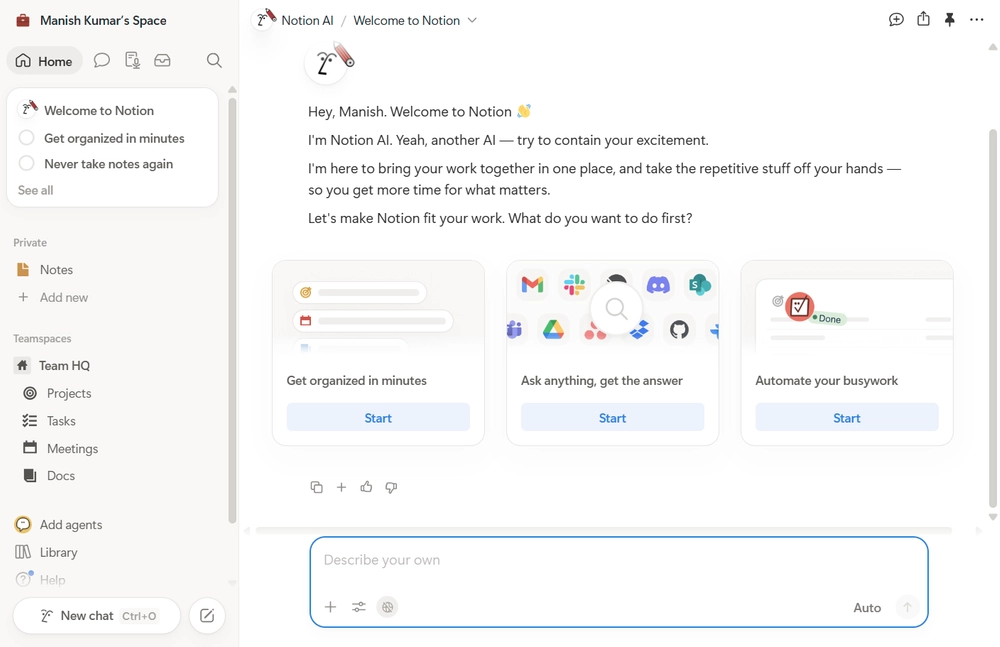
Notion’s pitch hasn’t changed much since it took over the “team wiki” conversation years ago: give people flexible blocks and databases instead of rigid page templates. What changed in 2026 is that full Notion AI — including workspace-wide search and autonomous agents — now lives exclusively on the Business plan, which pushed a lot of teams to upgrade just to get AI answers over their own content. For teams that don’t need AI on day one, Plus is still a genuinely strong value tier for pure documentation and light collaboration.
Best for: Startups and mid-size teams that want docs, light project tracking, and a wiki in one flexible tool.
Who should skip it: Teams that want AI answers without paying for a full workspace upgrade — the free and Plus tiers only offer a limited AI trial.
Key features:
- Database-backed pages that double as trackers, not just documents
- Workspace-wide AI search and Q&A (Business plan and above)
- Granular sharing down to the individual page, with free guest access
- Custom domains for public-facing knowledge bases
- One-click import from tools like Confluence and Google Docs to ease migration
Integrations: Slack, Google Drive, GitHub, Figma, and a large public API/integrations gallery.
Pros:
- Genuinely flexible — one tool covers docs, light databases, and project tracking
- Free tier is generous enough for individuals and very small teams
Cons:
- Meaningful AI features require the $20/user/month Business tier
- Can sprawl into disorganization without someone actively maintaining structure
3. Stonly — Best for high-volume customer service teams
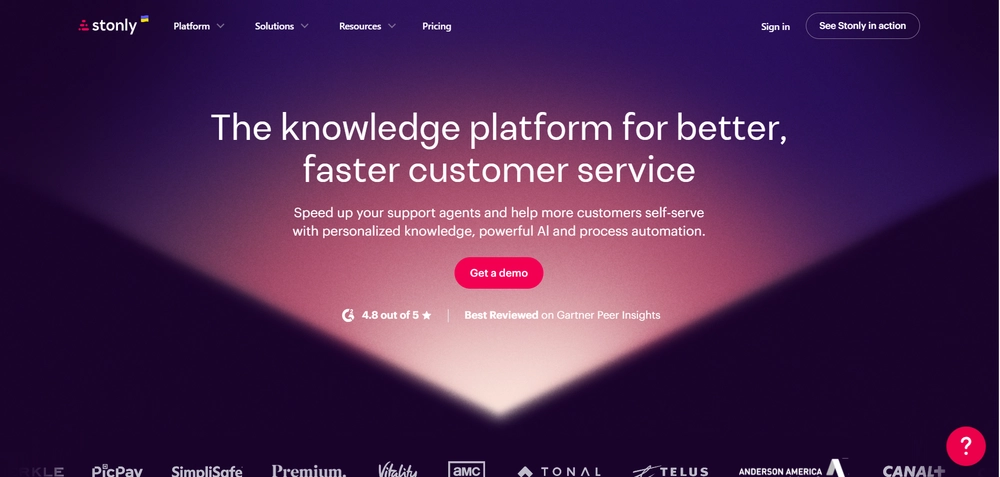
Stonly is a knowledge management platform built for customer service. It covers both customer-facing and agent-facing knowledge in one place, so the process an agent follows and the answer a customer sees come from the same source. In addition to standard articles, teams build step-by-step guides that adapt to each person’s situation based on context, inputs, and choices, which makes complex support processes easier to follow consistently across the team. Its 2026 platform layers AI on that foundation: AI Answers resolves customer questions from verified knowledge across chat, email, and WhatsApp, Agent Copilot reads the open ticket and drafts replies for reps to review, and Business Process Agents execute documented workflows step by step, including backend actions. Knowledge Agents monitor knowledge sources continuously, flagging gaps and stale content before they cause problems.
Best for: Customer support and CX teams that want to deflect tickets with self-serve troubleshooting and keep agents consistent on complex processes.
Who should skip it: Teams that mainly need an internal wiki for general docs and collaboration — Stonly is optimized for support workflows, and help desk integrations, AI agents, and SSO are reserved for the quote-based Enterprise plan.
Key features:
- Standard articles and step-by-step guides that adapt based on customer or agent context, inputs, and choices
- AI Answers for customer self-service and internal rep-facing knowledge across chat, email, and WhatsApp
- Agent Copilot that surfaces the right workflow and drafts replies inside the ticket view
- Business Process Agents that execute documented processes end to end, including actions in backend systems
- Knowledge Agents that scan tickets and source material to flag gaps, contradictions, and outdated content
- Full knowledge base with versioning, review flows, rights management, scheduled publishing, SEO, and content-health tools
- Embeddable widget, no-code triggers, auto-translation, and analytics on how people move through content
Integrations: Zendesk, Salesforce, Freshdesk, ServiceNow, Intercom, HubSpot, Slack, Microsoft Teams, and 50+ more.
Pros:
- Step-by-step guides resolve issues that a static article usually can’t
- Strong, measurable ticket-deflection results, backed by SOC 2 Type II, GDPR, and HIPAA compliance
Cons:
- Small Business plan caps you at 5 team members and 4,000 guide views/month, and outgrowing it pushes you toward quote-based Enterprise
- Help desk integrations and AI agents are Enterprise-only, and Stonly’s own pricing page doesn’t publish prices
4. Guru — Best for verified answers inside your existing tools
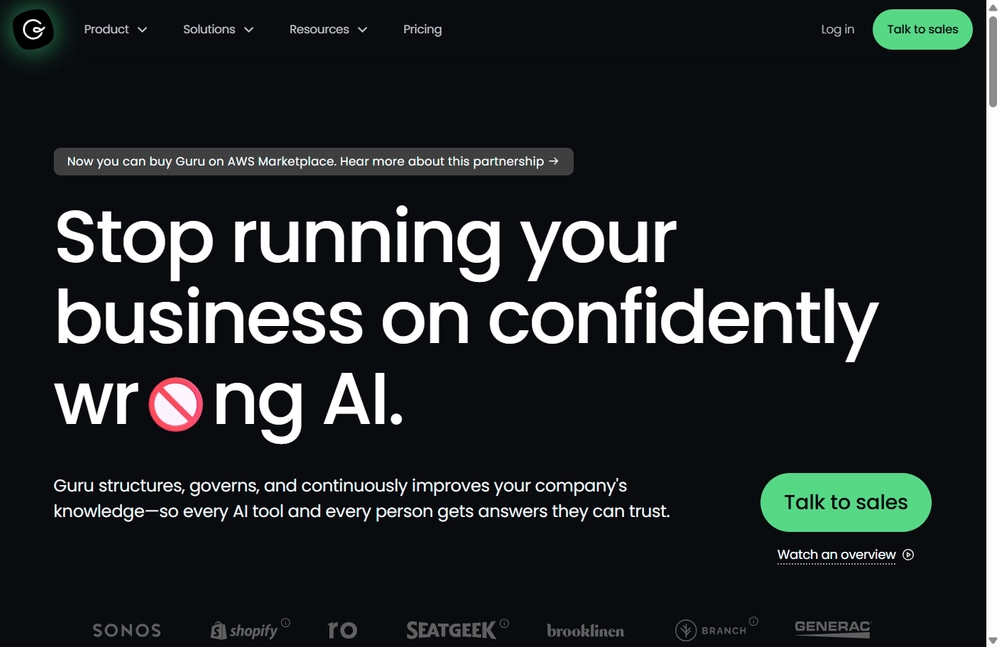
Guru’s whole model is built around a simple idea: knowledge shouldn’t live in a separate tab. Its browser extension and Slack/Zendesk integrations surface “cards” of verified information right where people are already working, and a subject-matter expert has to sign off before a card counts as trustworthy. In 2026 it added federated search across Google Drive, Confluence, and Notion, so teams can use Guru as a verification layer without migrating existing docs. That positioning — as a governance layer sitting on top of docs you already have, rather than a replacement for them — is closer to what more AI-native platforms are converging toward.
Best for: Support, sales, and customer-facing teams where the accuracy of an answer matters as much as its speed.
Who should skip it: Very small teams — the 10-seat minimum makes it a hard sell below that size regardless of how good the product is.
Key features:
- Card-based content with mandatory expert verification and expiration dates
- Federated search across Confluence, Google Drive, Box, and Notion without migration
- Browser extension that surfaces relevant cards inside any web app
- AI-driven suggestions based on what a rep is currently working on
- Slack and Zendesk integrations rated among the highest of any tool in this category
Integrations: Slack, Zendesk, Salesforce, Microsoft Teams, and a Chrome/Edge browser extension.
Pros:
- Verification workflow keeps stale answers from lingering
- Delivers knowledge in-context instead of requiring a separate search
Cons:
- A 10-seat minimum means the real floor is around $250/month even for tiny teams
- Its most capable AI features are reserved for the custom-priced Enterprise tier
5. Slite — Best for a lightweight, AI-first internal wiki
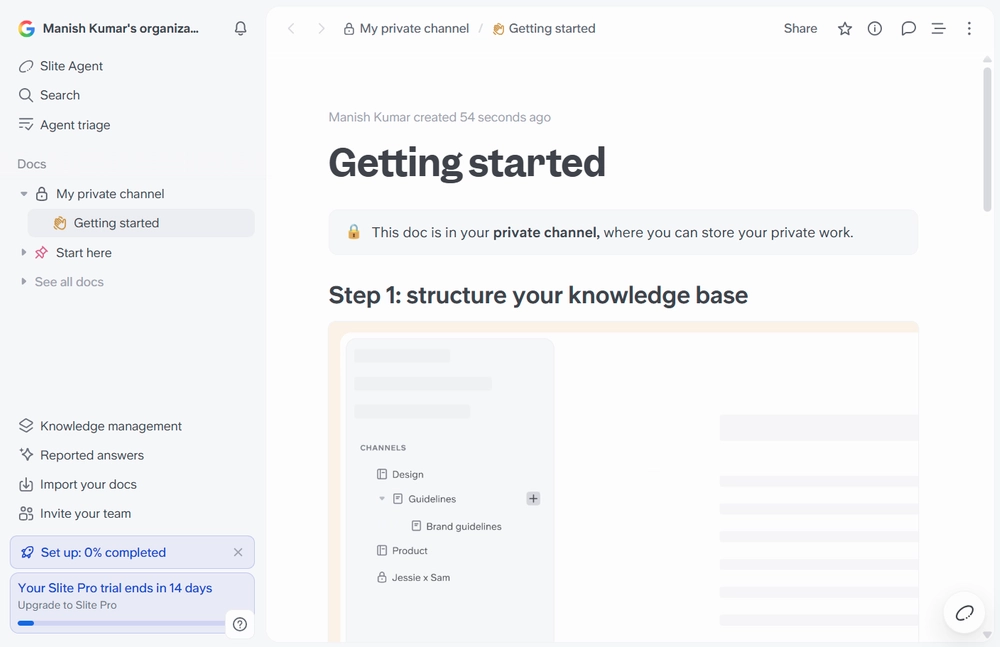
Slite positions itself against the sprawl of Notion and the weight of Confluence, aiming for something simpler: a clean editor plus an AI layer (“Ask”) that answers questions from your existing docs. Its 2026 update added MCP support, meaning tools like Claude or ChatGPT can query verified Slite content directly rather than requiring people to open the app at all — a small detail that matters more each quarter as more work happens inside AI assistants rather than inside the wiki itself.
Best for: Remote or hybrid teams that want a focused wiki without database complexity.
Who should skip it: Teams that need relational databases or Kanban-style project tracking alongside their docs — Slite deliberately doesn’t try to be an all-in-one workspace.
Key features:
- “Ask” AI search trained only on verified, current docs
- MCP support so external AI assistants can query your wiki securely
- Documentation-gap detection that flags what hasn’t been written yet
- SOC 2, HIPAA, and GDPR-aligned compliance options on higher tiers
- One-click Notion import for teams migrating an existing wiki over
Integrations: Slack, Linear, GitHub, Google Drive, and MCP-based AI tool access.
Pros:
- Clean, fast editor with a genuinely low learning curve
- MCP support future-proofs it against becoming another isolated silo
Cons:
- Smaller integration ecosystem than Notion or Confluence
- Higher-tier “Knowledge Suite” features require a 10-user minimum
6. Tettra — Best for Slack-native teams
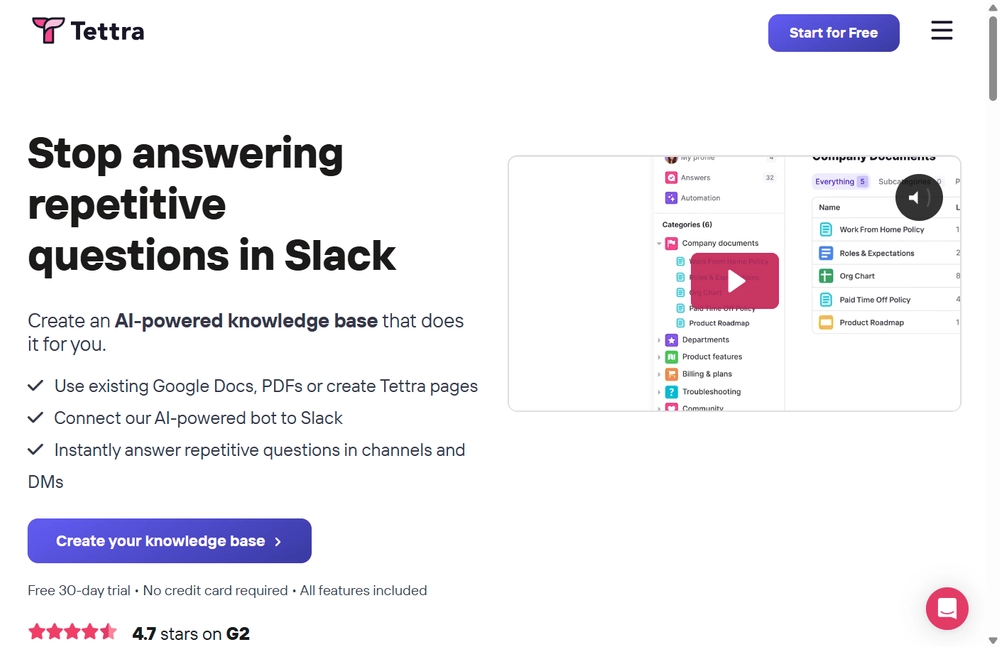
Tettra’s entire design philosophy is “don’t make people leave Slack.” Its AI bot, Kai, answers questions directly in a channel or DM, and if it can’t find an answer, it routes the question to the right subject-matter expert and turns their reply into a permanent, searchable page. It’s a smart way to capture knowledge at the exact moment it’s created, rather than hoping someone remembers to write it down later.
Best for: Support, ops, and engineering teams whose institutional knowledge already lives in Slack conversations.
Who should skip it: Teams outside the Slack ecosystem — Tettra’s entire value proposition assumes Slack is where your team already spends its day.
Key features:
- Kai, an AI bot that answers in Slack and drafts new pages from expert replies
- Automated content-verification reminders to fight documentation rot
- Google Workspace training so AI answers can draw on existing docs
- Simple permissioning suited to small and mid-size teams
- SAML SSO and SCIM provisioning available on the top-tier plan
Integrations: Slack, Microsoft Teams, and Google Workspace.
Pros:
- Turns one-off Slack answers into permanent documentation automatically
- Meaningfully cheaper than Guru for similar AI-assisted functionality
Cons:
- No free tier, and a 10-user minimum applies to every plan
- Not a fit for teams that don’t already live in Slack
7. Nuclino — Best for visual, lightweight docs
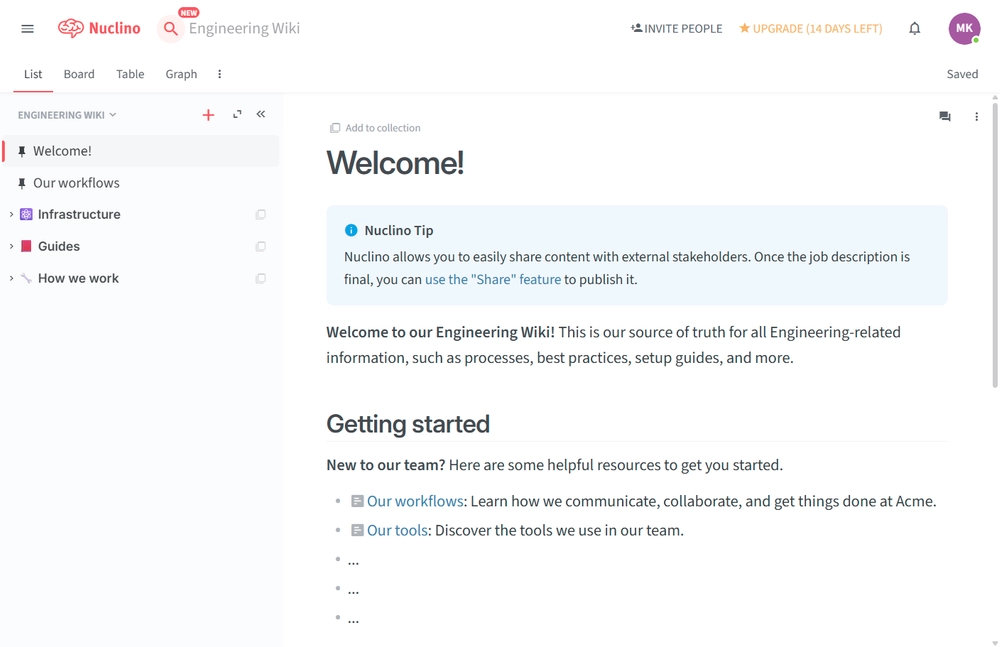
Nuclino leans into speed and simplicity, describing itself as a “collective brain” for teams. Its standout feature is a graph view that visually maps how documents link to one another — useful for teams that think in networks of ideas rather than strict folder hierarchies. Its AI assistant, Sidekick, handles drafting and summarization on paid tiers, and Nuclino is explicit that it doesn’t train models on customer data, which matters for teams evaluating it under stricter data-handling policies.
Best for: Small to mid-size teams that want something faster and lighter than Confluence or Notion.
Who should skip it: Larger organizations that need deep permissioning or a mature integration catalog — Nuclino trades some of that depth for its speed.
Key features:
- Graph view and Kanban board view of the same underlying content
- Sidekick AI for drafting, summarizing, and answering questions
- Real-time collaborative editing with 30-day version history
- Custom publishing domains for external-facing pages
- A generous free tier that covers up to 50 items before requiring a paid plan
Integrations: Slack, Google Drive, and a general API for custom connections.
Pros:
- Noticeably faster and simpler to onboard a team onto than Confluence
- Generous free plan for very small teams or early pilots
Cons:
- Linking related articles together isn’t as smooth as in more mature wikis
- Smaller feature set overall compared to Notion or Confluence
8. Bloomfire — Best for large knowledge programs in regulated industries
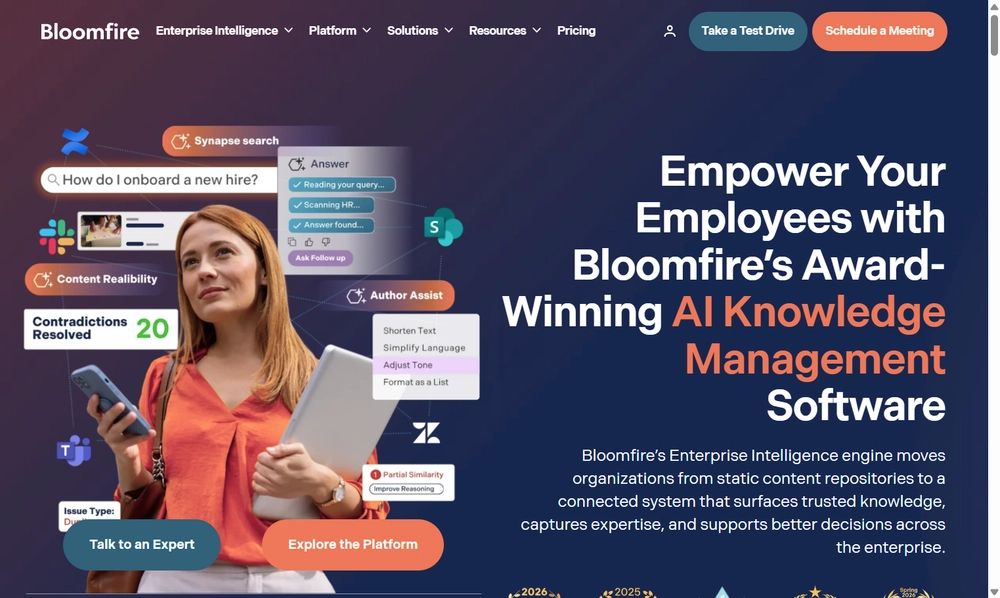
Bloomfire targets a different buyer than most tools on this list: large, structured organizations — often in healthcare, finance, or insurance — that need a formal knowledge management program with SSO, audit tools, and dedicated support, not a lightweight team wiki. It doesn’t publish self-serve pricing; deals are quoted and typically span multi-year contracts, which is a real friction point if you’re used to comparing tools with a public pricing page.
Best for: Large enterprises rolling out a company-wide knowledge program with compliance requirements.
Who should skip it: Small teams or anyone wanting fast, transparent, self-serve pricing — Bloomfire’s sales-led model isn’t built for that.
Key features:
- Q&A and comment threads attached directly to knowledge content
- Advanced security: SSO, SCIM, and detailed audit logging
- Usage analytics showing engagement trends across departments
- Dedicated onboarding and migration support included
- Multi-year contract options that lock in pricing against renewal increases
Integrations: Microsoft Teams, Slack, Zendesk, Salesforce, Box, Dropbox, and Tableau.
Pros:
- Built for scale, with support that smaller vendors don’t offer
- Strong analytics into how content is actually being used
Cons:
- No transparent public pricing — every deal requires a sales call
- Typically requires a 25–50 user minimum and multi-year commitment
9. Helpjuice — Best for flat-rate pricing at scale
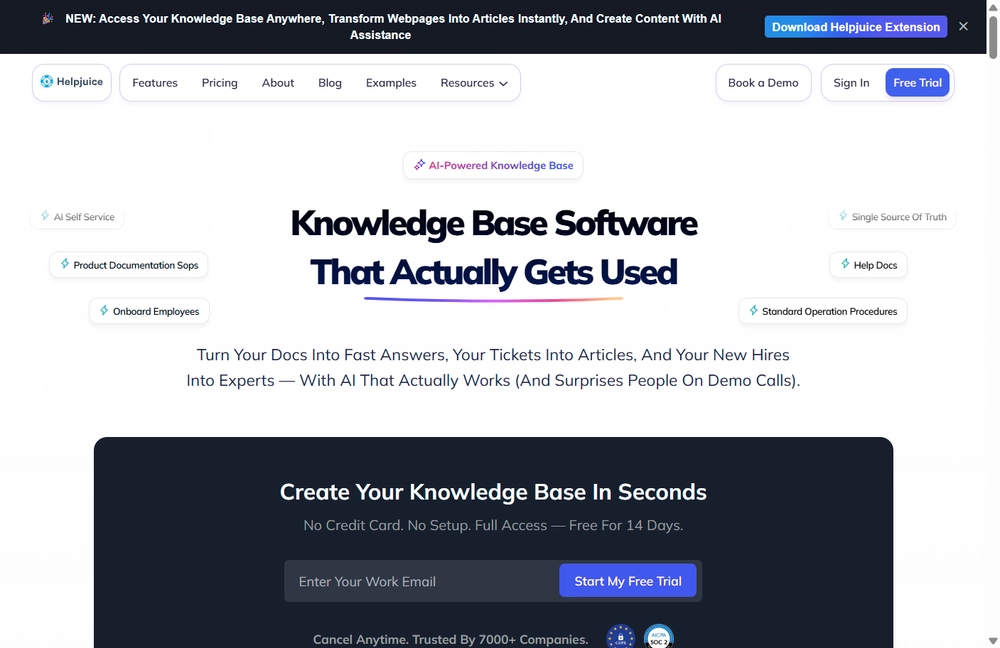
Helpjuice’s pitch is refreshingly different from the per-seat crowd: pay a flat monthly rate and add as many internal readers as you want. For a support-heavy team of 80 people where only a handful actually write articles, that math can beat per-seat pricing significantly. The tradeoff is that its AI features are locked behind the mid-tier plan, and the entry price is steep for very small teams just getting started.
Best for: Mid-market teams (30–500+ people) who want documentation costs to stop scaling with headcount.
Who should skip it: Very small teams — at $249/month minimum, the entry price is hard to justify below roughly 20-30 people.
Key features:
- Full HTML/CSS access for deep visual customization of the help center
- Flat-rate pricing regardless of how many read-only viewers you add
- Built-in analytics on searches, failed queries, and article performance
- AI Suite (available from the $449/month tier) for smarter search
- Decision-tree and accordion content blocks with no coding required
Integrations: Slack, Microsoft Teams, Zendesk, Freshdesk, Salesforce, Google Drive, and Zapier.
Pros:
- Predictable costs that don’t punish you for adding read-only users
- Deep customization without needing developer resources
Cons:
- $249/month entry price is hard to justify for very small teams
- AI features require an 80% jump to the mid-tier plan
10. Document360 — Best for customer-facing docs with deep version control
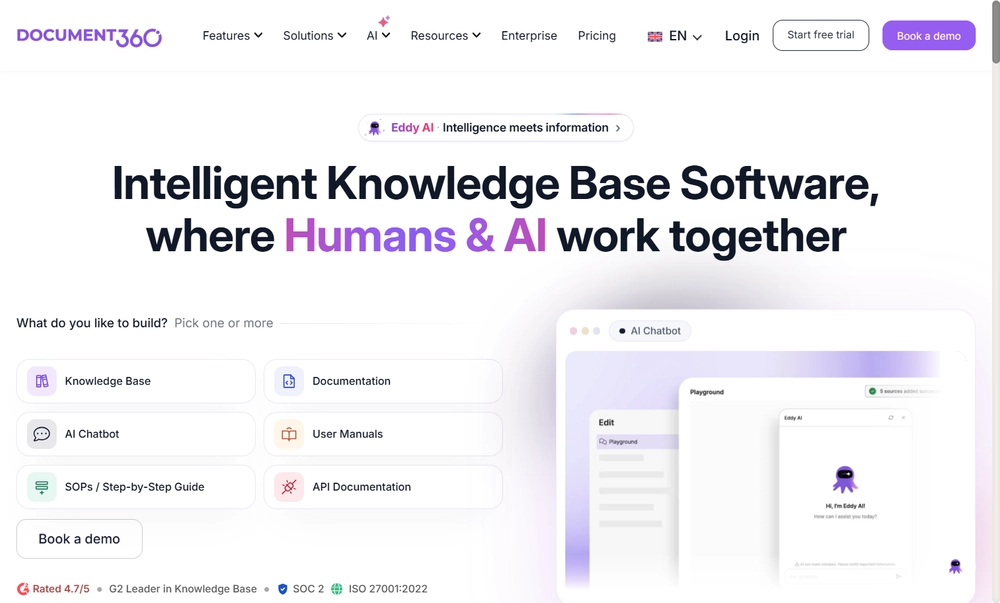
Document360 is built for teams that need to run a polished, public-facing help center alongside (or instead of) an internal wiki — think API references, product manuals, or a customer knowledge base with its own branded domain. Its standout strength is version control: full rollback history, staged drafts, and reader-group-level permissions that let you publish different content to customers, partners, and internal staff from the same underlying library. One notable shift buyers should know about: Document360 quietly moved to quote-only pricing and dropped its free tier in late 2024, so the transparent published pricing it once had is gone.
Best for: Product and support teams that need a branded, public knowledge base with serious version control behind it.
Who should skip it: Budget-conscious teams that want to compare pricing without a sales call — published numbers no longer exist, and quotes can run well into hundreds of dollars a month.
Key features:
- Full version history with rollback, plus staged drafts before publishing
- Reader groups and clearance levels for mixing public and private content in one library
- Custom branding and a fully white-labeled help center domain
- Built-in SEO tools and analytics for public-facing articles
- AI-assisted writing and search layered into the standard editor
Integrations: Slack, Microsoft Teams, Salesforce Service Cloud, Zendesk, and an accessibility widget for public portals.
Pros:
- Genuinely strong versioning and permission granularity for mixed public/private knowledge bases
- SEO and analytics tooling make it a solid choice for a customer-facing help center, not just an internal wiki
Cons:
- No published pricing since 2024 — every deal now requires a sales conversation
- Some usage caps (API calls, export sizes) can add friction for teams operating at real scale
Other Knowledge Base Software Worth a Look
These didn’t make the shortlist but are worth knowing about:
- Zendesk Guide — for teams already standardized on the Zendesk support suite
- Freshdesk — for support teams that want a help desk and KB in one product
- Obsidian — for individuals who want local-first, Markdown-based personal knowledge management
- KnowledgeOwl — for compliance-heavy teams that need simple, auditable documentation
- GitBook — for developer-facing docs and API references
- Coda — for teams that want docs and databases blended even more tightly than Notion
- ClickUp Docs — for teams already using ClickUp for project management
How We Evaluated These Tools
Core Requirements
Every tool on this list had to clear a baseline across six areas:
- Editing and content creation — how easy it is to draft, format, and maintain articles without leaving the tool
- Organization and structure — categories, tags, and linking that keep a growing knowledge base navigable
- Search quality — full-text search, typo tolerance, and relevance ranking, since an unsearchable knowledge base is a dead one
- Access controls — the ability to set who sees what, down to the individual page where needed
- Reporting — visibility into what’s being searched, what’s failing to return results, and what needs updating
- Integration depth — genuine, native connections to the tools a team already works in, not just a webhook
What Separates the Best from the Rest in 2026
Two things distinguish this year’s leaders from a basic wiki. First, AI answer quality — not just “does it have AI search,” but whether it cites its sources and whether those answers are drawn from verified, current content rather than whatever happens to rank highest. Second, governance and data residency — as more knowledge tools plug directly into AI models, security and compliance teams increasingly want to know exactly where a prompt and its answer actually go, who can see the audit log, and whether that governance is a built-in feature or an expensive add-on.
How to Choose the Right One
| Factor | What to Consider |
|---|---|
| Where your knowledge already lives | Do you need a place to write new docs, or a way to make existing scattered docs searchable? |
| Governance requirements | Does your industry require audit trails, data residency guarantees, or PII controls? |
| Where your team already works | A tool that lives inside Slack or your existing docs beats a great tool nobody opens |
| Pricing model | Per-seat pricing punishes growth; flat-rate or self-hosted models can be cheaper at scale |
| AI trustworthiness | Does the AI cite its source, or just generate a plausible-sounding answer? |
| Migration effort | Can it connect to what you already have, or does it require re-writing everything from scratch? |
What Is Knowledge Base Software?
Knowledge base software is any tool that helps a company capture, organize, and retrieve information — whether that’s for employees looking for an internal policy or customers looking for a self-service answer. Traditionally that meant a searchable library of written articles. In 2026, the category has broadened to include AI-native platforms that skip static articles altogether and let people ask questions directly against a company’s existing, connected sources.
Common Features to Look For
- Search that tolerates typos and ranks results by relevance, not just keyword match
- Categorization and tagging to keep a growing library navigable
- Access controls so sensitive content stays restricted to the right audience
- AI-assisted answers, ideally with visible citations back to the source document
- Version history so you can see what changed and roll back mistakes
- Analytics on what’s searched, what fails to return a result, and what’s outdated
- Multilingual support for globally distributed teams or customers
- Feedback mechanisms letting readers flag content that’s unhelpful or wrong
Why It’s Worth Doing
- Faster answers — people stop waiting on a coworker to reply and self-serve instead
- Less repeated work — the fifth person to ask a question finds the same answer as the first
- Smoother onboarding — new hires have somewhere real to look instead of just asking around
- Better decisions — usage analytics show what people actually need more of
- Consistency — everyone works from the same current version of the truth, not five conflicting ones
Typical Pricing by Tier
| Plan Type | Typical Price | What You Usually Get |
|---|---|---|
| Free | $0 | Basic search, a handful of users, limited storage |
| Starter/Personal | $5–$12/user/month | Fuller editing tools, integrations, and basic analytics |
| Business | $15–$25/user/month | AI search, SSO, advanced permissions |
| Enterprise | $30+/user/month or custom | Dedicated support, audit logging, full customization |
| Self-hosted / open-source | Free to run, usage-based costs only | Full data control; you manage infrastructure and provider billing |
Frequently Asked Questions About Knowledge Base Software
Does knowledge base software integrate with the tools we already use?
Most platforms connect natively with helpdesks, CRMs, and chat tools like Slack or Teams. Newer, AI-native platforms go further, connecting via MCP so an AI assistant can query multiple systems at once instead of needing a dedicated integration for each one.
How secure is our data inside one of these tools?
It varies significantly by vendor. Look for encryption at rest and in transit, role-based access controls, and — increasingly important in 2026 — clarity on exactly where AI-generated answers and the prompts behind them are stored and who can audit that trail.
Can an AI-native platform actually replace a dedicated knowledge base?
Not entirely — something still needs to own the underlying content. But for the retrieval half of the problem (finding what already exists across docs, tickets, and tools) an AI-native, governed layer can replace a lot of the manual searching a traditional wiki still requires.
Is it hard to keep content up to date?
Most modern tools include verification workflows, expiration reminders, or AI-flagged “this might be stale” notices. Without one of those mechanisms, documentation quietly rots — this is worth checking for specifically during a trial.
What’s the real difference between internal and external knowledge bases?
Internal knowledge bases help employees find policies, processes, and institutional context. External (customer-facing) knowledge bases are public help centers built to reduce support ticket volume. Some platforms genuinely do both well; many are optimized for just one.
How do we get people to actually use it?
Involve the team that will use it daily in the setup, seed it with the ten questions people ask most often, and make sure it lives somewhere they already work — Slack, their inbox, or their AI assistant — rather than a bookmark they’ll forget.
What’s Next
The right choice here comes down to a fairly short list of questions: where does your knowledge already live, who needs to see it, and how much you want costs to scale with headcount versus staying flat. Start a trial with one or two candidates from this list, seed them with the handful of questions your team asks most often, and see which one people actually reach for a week in — that’s a better signal than any feature comparison.