The Samsung U-turn: from total ban to company-wide rollout
In spring 2023, a Samsung engineer copied the source code of a buggy semiconductor database program, pasted it into ChatGPT and asked for a fix. Within weeks, reports surfaced of at least three such leaks, including in-development chip data. Samsung’s answer was a blanket ban on generative AI across company devices and networks.
Fast forward to June 2026. The same company announced it was rolling out ChatGPT Enterprise and Codex to every Samsung Electronics employee in Korea and every Device eXperience employee worldwide. OpenAI called it one of its largest enterprise deployments ever.
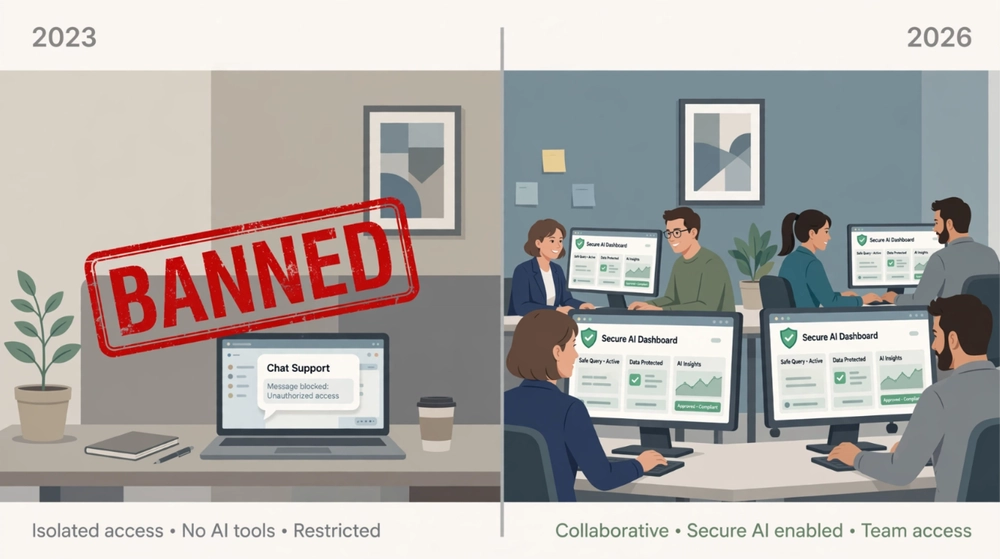
So what changed? Not the employees. They always wanted AI. What changed is the version of AI they were given. Consumer chatbots and business AI apps look identical on screen, but behind the chat box they handle your data very differently.
That raises the question every CISO, CTO and founder should be asking in 2026: when your team types into ChatGPT, Claude or Gemini, who else gets to read it? We put the three biggest names side by side to find out.
Meet the contenders (and their secret twins)
Three AI assistants dominate the modern workplace: ChatGPT from OpenAI, Claude from Anthropic and Gemini from Google. We judged each one in three rounds that matter to a security team:
- Training: Will your prompts be used to train the next model?
- Retention: How long are your chats kept, and who else could get them?
- Control: Can your admins see, audit and govern what happens?
Here’s the twist most buyers miss. Every one of these apps has a twin. There’s a consumer version your employees can sign up for with a personal email in 30 seconds, and a work version your company pays for. Same logo. Same chat box. Completely different privacy rules.
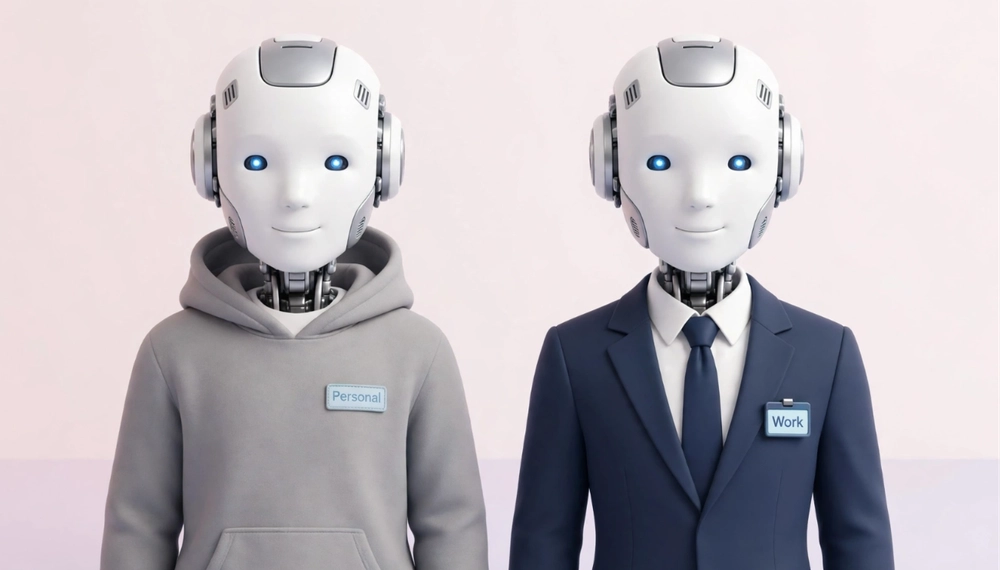 Keep that in mind, because it decides almost every round.
Round 1: Will your prompts train the next model?
On the work versions, all three vendors give the same answer: no, not by default. On the consumer versions, the answer flips.
| App | Personal / consumer version | Work version |
|---|---|---|
| ChatGPT | Free and Plus chats may be used to improve models unless the user opts out | Business and Enterprise content is not used for training by default |
| Claude | Since late 2025, Free, Pro and Max chats can be used for training unless the user opts out | Claude for Work (Team, Enterprise) and the API are excluded from training |
| Gemini | With Keep Activity on, chats help improve Google AI and a sample is read by human reviewers | Workspace prompts are not used for training outside your domain without permission |
Round 1 verdict: a three-way tie on the work versions. If you’re paying for the business tier, training on your data isn’t the big risk anymore.
The catch? Your employees may not be on the business tier. LayerX’s 2025 enterprise research found that 82% of the pasting employees do into GenAI tools happens through unmanaged, personal accounts. That’s the consumer twin, with consumer rules.
Round 2: When “delete” doesn’t mean deleted
In May 2025, a US federal judge handling The New York Times v. OpenAI copyright case ordered OpenAI to stop deleting ChatGPT output logs, including chats users had already asked to delete. Millions of people suddenly learned that their “private” conversations could become legal evidence.
The broad order ended on September 26, 2025. But a separate fight followed over a random sample of 20 million de-identified consumer chats from December 2022 to November 2024, which the court ordered OpenAI to hand over.
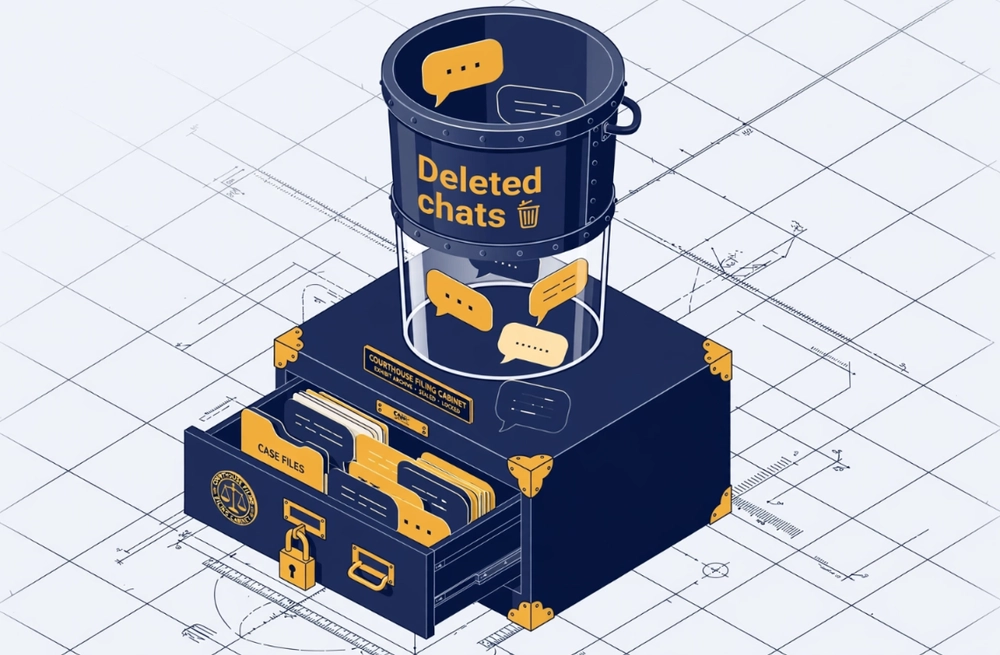
Now the part every IT leader should underline. ChatGPT Enterprise, Edu and Zero Data Retention API customers were excluded from the order. Free, Plus, Pro and Team users were not. The contract you signed decided whose chats were swept up.
OpenAI isn’t the only vendor where retention depends on the tier:
- Gemini (consumer): chats picked for human review are kept for up to three years, even after a user deletes their activity.
- Claude (consumer): users who allow training have their data retained for up to five years; those who opt out stay on a 30-day window.
- Work versions: admins set retention rules, and the data sits under a business contract instead of consumer terms.
Round 2 verdict: work versions win clearly. A consumer chat window is not a safe place for a customer list, a contract or a line of source code.
Round 3: The day ChatGPT showed strangers your chat history
On March 20, 2023, ChatGPT users started noticing something strange in their sidebars: conversation titles that weren’t theirs. OpenAI took the service offline and traced the problem to a bug in an open-source library it used for caching.
The investigation found more. During a nine-hour window, the same bug may have exposed payment-related details of 1.2% of active ChatGPT Plus subscribers to other users, including names, email addresses and the last four digits of card numbers. OpenAI fixed the bug, notified affected users and added extra checks.
The lesson isn’t “ChatGPT is unsafe.” Every software company ships bugs, and OpenAI handled this one openly. The lesson is that buying a trusted AI app doesn’t finish the job. Your company still needs its own answer to three questions: who can use which AI, on which data, and what record do we keep?
Here’s what each work version gives admins out of the box:
| App (work version) | Built-in governance strengths | What it doesn’t cover |
|---|---|---|
| ChatGPT Business / Enterprise | Admin-set retention, no training by default | Only governs ChatGPT, not other AI tools |
| Claude for Work | Commercial terms, no training on customer content | Only governs Claude |
| Gemini in Workspace | Existing Workspace controls such as data loss prevention and data regions apply | Works best inside Google’s ecosystem |
Round 3 verdict: every vendor governs its own garden well, and nobody governs the whole farm. That gap matters: IBM’s 2026 breach report found 92% of organizations hit by an AI-related breach lacked proper AI access controls.
The scoreboard: no knockout, just trade-offs
There’s no single winner, and anyone who tells you otherwise is selling one of the three. Each app is strongest in a different setting.
| App | Pick it when | Watch out for |
|---|---|---|
| ChatGPT Business / Enterprise | You want the most widely known assistant and plenty of third-party integrations | The consumer twin got caught in the NYT log order; make sure staff are on the work plan |
| Claude for Work | Your teams do heavy writing, analysis or coding | Consumer plans train on chats by default since late 2025 unless users opt out |
| Gemini in Workspace | Your company already lives in Gmail, Docs and Drive | Consumer Gemini chats can be read by reviewers and kept for three years |
And the leaderboard keeps moving. In Menlo Ventures’ enterprise survey, the top vendor of 2023 had lost its crown by 2025 (more on that below). The “best” AI today may not be the best one next year.
Plot twist: the biggest risk isn’t the app you pick
Three rounds, three strong work versions. So why are AI leaks still growing? Because most leaks don’t come from the AI app a company approved. They come from the ones it never knew about.
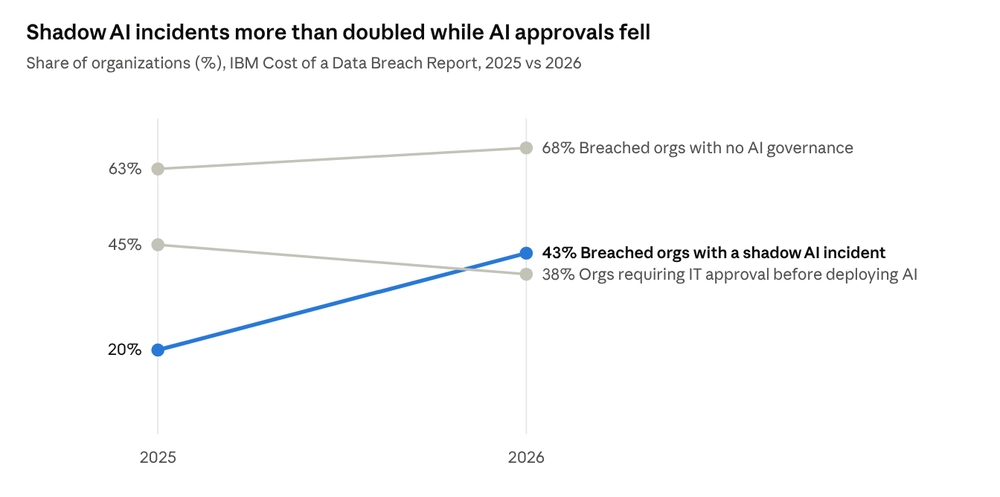
Source: IBM Cost of a Data Breach Report 2025 and 2026, as summarized by Sentra, Cyberz and Fortra

IBM calls this shadow AI: employees using AI tools nobody approved. In its 2026 report, breaches involving shadow AI cost an average of $5.39 million, above the overall average of $4.99 million. Usage went up, oversight went down.
Samsung’s first instinct in 2023 was a ban. Its 2026 answer was the opposite: give people an approved tool that’s better than the workaround. That’s the real lesson of this comparison. The winning move isn’t picking the perfect app. It’s making sure your people never need a secret one.
How to stay safe: a 7-step playbook for using AI at work
You don’t need a 50-page policy to use AI safely. You need a few clear decisions, made early and explained well.
- Give people an approved tool before you ban anything. Samsung’s 2023 ban didn’t kill demand; it just pushed it out of sight. A good approved option is the best shadow-AI defense there is.
- Use only the work versions for work. Business and enterprise plans don’t train on your data by default and sit under a business contract. Personal accounts don’t.
- Decide what never goes into an AI prompt. Write a short “red list”: passwords and API keys, customer personal data, health or payment details, unreleased financials and anything under NDA. Share it in one page, not fifty.
- Connect AI to your company login. Single sign-on means access ends the day someone leaves, and personal accounts stop being the easy path.
- Set retention on purpose. Choose how long chats are kept instead of accepting the default, and make sure deleted really means deleted.
- Keep a record. You can’t protect what you can’t see. Make sure someone can answer “who used which AI, and for what?”
- Train with real stories, then review every quarter. The Samsung leak teaches more than any policy document. And because vendors change their terms often, check your settings regularly.
Quick do’s and don’ts for employees
- Do remove names, account numbers and client details before pasting text into AI.
- Do double-check any AI answer before it goes to a customer.
- Don’t upload source code, contracts or customer lists unless your company has approved it.
- Don’t use a personal AI account for company work, even “just this once”.
What good looks like: risky setup vs safe setup
Not sure where your company stands? Compare your setup with the right-hand column.
| Area | Risky setup | Good setup |
|---|---|---|
| Access | Anyone signs up with a personal email | One approved workspace behind company login |
| Data | No rules on what can be pasted | A clear red list, with guardrails that enforce it |
| Retention | Whatever the consumer default is | Retention chosen by admins, under a business contract |
| Visibility | Nobody knows which AI tools are in use | Security can see usage across the organization |
| Model choice | Locked into one vendor, or a free-for-all | Several approved models under one set of rules |
| When something goes wrong | Find out from the news | A record of who used what, so you can respond fast |
If most of your answers sit in the middle column, you’re not alone. IBM found that 68% of breached organizations in 2026 had no AI governance at all. The good news is that every row can be fixed in weeks, not years.
Where Grengin fits: stop picking, start governing
If the scoreboard had a lesson, it’s this: betting your whole company on one AI app is a bet on a race that keeps changing.
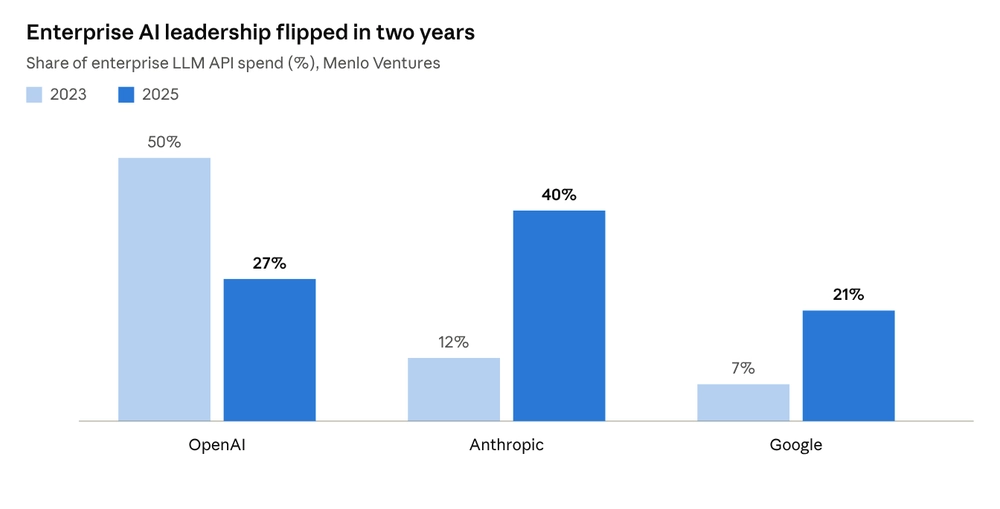
Source: Menlo Ventures, 2025: The State of Generative AI in the Enterprise (December 2025)
A company that standardized on a single provider in 2023 would face new contracts, new integrations and new security reviews to switch today. Meanwhile, its employees would already be quietly using whichever tool they liked better.
Grengin is built for exactly this moment. Instead of forcing a choice between ChatGPT, Claude and Gemini, it gives your team one approved workspace with:
- Every major model in one place: OpenAI, Anthropic and Google models, so people don’t need personal accounts to get the tool they prefer.
- One set of guardrails: rules on what data can be shared apply no matter which model someone picks.
- Visibility for security: your team can see how AI is actually being used across the organization.
So the real question isn’t ChatGPT vs Claude vs Gemini. It’s whether your people use AI out in the open, or in the shadows