Ask any CIO how many employees are using AI tools at work, and you’ll usually get a confident number. Ask how many of those tools were actually approved by IT, and the confidence tends to disappear fast.
That gap is the whole problem, really, in a sentence.
Employees aren’t waiting around for permission. They’re pasting client contracts into ChatGPT for a quick summary, running sales copy through Claude, dropping code snippets into whatever assistant their browser suggested. Not out of malice, usually — just because it’s faster than waiting for an official rollout. An Okta survey of nearly 300 tech executives and 500 knowledge workers found that more than half of employees are already using personal AI tools without approval. A separate BlackFog survey put a similar number on it, and added something more telling: a majority of company leadership already know this is happening and aren’t losing sleep over it, prioritizing speed over the privacy questions it raises.
So the real question facing most enterprises isn’t “should we allow AI.” That decision already got made — by employees, on lunch breaks, with no sign-off from anyone. What’s actually still open is whether that usage happens somewhere IT can see it, or somewhere it can’t.
Why “just block it” doesn’t really work
Blocking consumer AI tools sounds like a governance strategy. In practice, it mostly just relocates the behavior somewhere less visible — personal devices, personal accounts, browser tabs no security tool is watching. You don’t reduce the risk so much as lose your ability to measure it.
The actual costs compound quietly, in the background:
- Data leakage into tools with no enterprise data agreement and no clarity on where input ends up
- Zero audit trail, so compliance can’t reconstruct what was asked, generated, or by whom
- Spend nobody’s tracking — a dozen subscriptions, or API keys nobody remembers issuing
- No consistency in which model handles what, so legal ends up on one tool and finance on another, with nobody checking if either is appropriate for the data involved
None of this shows up on a dashboard until something goes wrong. And with AI, “something going wrong” usually means sensitive data left the building through a door nobody was watching.
What governance actually means (hint: it’s not a policy PDF)
“AI governance” gets used so loosely at this point that it’s practically lost meaning. For the enterprises actually managing it well, it tends to come down to five concrete things:
- Identity and access — SSO tied into the identity provider you already have, not a separate login floating outside it
- Role-based usage — access scoped by department or project, not a blanket yes/no for the whole company
- Cost visibility — budgets and alerts per team, so finance isn’t blindsided by an invoice three months in
- Data handling rules — PII detection, retention limits, and actual clarity on where prompts and outputs live
- Model approval — a defined list of which LLMs are sanctioned for which kind of work, instead of “whatever’s open in a tab right now”
Get those five right and most of the real risk is handled. Everything past that is detail work.
The build-vs-buy-vs-self-host call nobody’s fully honest about
Most enterprises land on one of three paths, and each one comes with a tradeoff people don’t love admitting out loud.
Fully managed SaaS — ChatGPT Enterprise, Copilot — gets you live quickly, but often means buying into seat minimums whether your org needs them or not, with your data path running through someone else’s infrastructure by default.
DIY open-source, something like LibreChat, hands you full control on paper. In practice it needs a DevOps team to stand up and maintain — one a lot of mid-sized enterprises don’t have sitting idle.
There’s a third path that’s getting less airtime than it probably deserves: governed, open-source platforms built to be self-hosted from the start, rather than governance bolted on after the fact once someone in legal asked a hard question. That’s the gap Grengin was built around — it deploys inside your own AWS or Azure account, connects to multiple model providers (OpenAI, Anthropic, Gemini, and others) under one set of permissions, and ships with the governance layer — SSO, budgets, audit trails, PII detection — built into the base product from day one, rather than sold separately as an add-on tier once you’re already locked in.
What’s worth noting is the economics behind it. Deployment takes about five minutes through the AWS or Azure Marketplace, and since you bring your own provider keys, there’s no markup on usage and no per-seat pricing to work around — the platform itself costs nothing to self-host. The codebase is public too, so a security team can actually confirm there’s no hidden data path instead of just taking a vendor’s word for it. And because it connects over MCP by default, it plugs into whatever internal tools — ticketing systems, docs, CRM data — an organization already runs, rather than sitting off to the side as one more disconnected app. It’s the kind of middle ground that’s starting to make sense for teams that want self-hosted control without needing to build the entire stack from scratch.
That pull away from single-vendor reliance isn’t happening in isolation, either — it’s part of a broader industry shift toward routing different tasks to different models instead of standardizing on one, which is exactly the kind of flexibility a single-vendor SaaS contract tends to lock you out of.
Whichever path gets picked, the evaluation questions should stay the same: where does the data actually go, who can see usage after the fact, and what happens when someone leaves the company and still has an active session open somewhere.
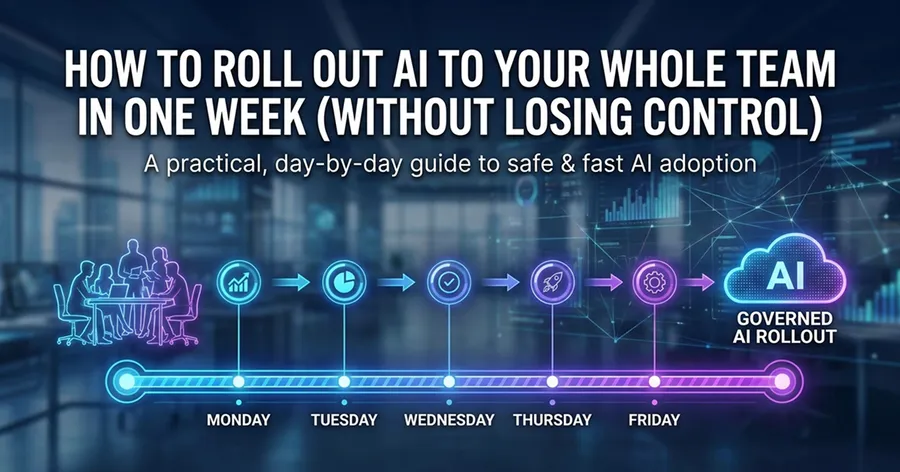
A rollout that doesn’t start with a 40-page policy document
The enterprises that get this right don’t open with a governance framework. They open with a pilot.
- Pick one department where AI usage is already happening honestly — support, sales, and engineering are usually the truthful answers
- Set up identity and access first, before anything else
- Put a budget cap on it from day one, not after the first invoice that raises eyebrows
- Review the audit log weekly for the first month, just to see what real usage looks like
- Expand access once the pattern is predictable, not before
It’s slower than a company-wide announcement and a training deck. It’s also the version that survives contact with actual employees doing actual work.
The point of all this
Governance sounds like the opposite of speed, but it mostly isn’t. The enterprises moving fastest on AI right now aren’t the ones with the most tools bolted on — they’re the ones who solved for trust early enough that expanding access doesn’t mean re-litigating the process every time a new team wants in. That’s the whole premise we built Grengin around: the real constraint most companies hit isn’t a shortage of AI capability, it’s a shortage of confidence that the capability is being used safely. Solve that once, properly, and everything downstream moves quicker — not slower.
If you’re currently weighing a per-seat SaaS contract against building something in-house, it’s worth looking at what’s already out there first. Grengin is free to self-host, takes about five minutes to deploy into your own cloud, and comes with the governance layer already built in — not a separate line item to negotiate later.