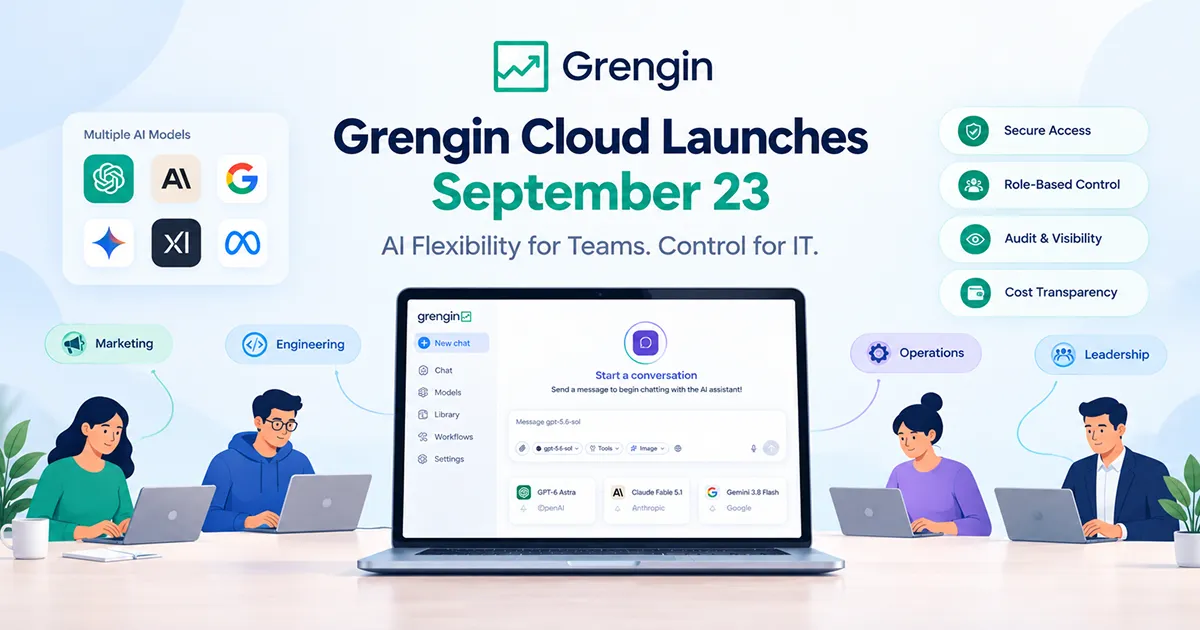
Grengin Cloud Launches September 23: AI Flexibility for Teams. Control for IT.
Multiple AI models. One governed workspace. Start free—and choose how you run it.
Why make every team use the same AI model?
A marketing team drafting a campaign, a developer working through a technical problem, and an operations team summarizing documents have different tasks. Your AI workspace should make room for those differences.
On September 23, we’re launching Grengin Cloud—bringing multiple AI models into a managed workspace with the access controls, cost visibility, and governance tools your organization needs.
The idea is simple: give teams flexibility without leaving IT out of the picture.
And that flexibility goes beyond model choice. Start with a free Cloud workspace, scale with Pro, choose a dedicated Enterprise deployment, or self-host in your own AWS account.
Different Tasks. Different Models. One Workspace.
Choosing an AI workspace shouldn’t mean committing every team to one model.
Grengin supports models from providers including OpenAI, Anthropic, and Google within a single platform. Administrators control which models are available, while users can switch between approved options to suit their work.
Think about the workflows your team could explore:
- Marketing: Draft campaign concepts, compare messaging, and develop content outlines.
- Engineering: Work through coding questions, troubleshoot problems, and explore technical explanations.
- Operations: Summarize working documents and turn notes into actionable checklists.
- Leadership: Prepare planning questions, discussion briefs, and talking points.
These are starting points—not promises of perfect output. Teams should review results and apply their own expertise.
The benefit is a shared workspace where people can explore different models while working within organization-wide controls.
Give IT the Controls It Needs
Model choice is only part of the story.
Who gets access? How is sensitive information handled? Can activity be reviewed? What happens as more teams start using AI?
Grengin brings those questions into the same workspace through:
- SSO and role-based access: Manage sign-in and permissions.
- Model access controls: Decide which models users and teams can use.
- PII detection and optional redaction: Help identify and remove sensitive information before it reaches AI models.
- Exportable audit logs: Support internal reviews with records of AI activity.
- Usage dashboards and budget controls: Monitor adoption and manage spending.
These capabilities support your governance processes; they do not replace internal policies, security reviews, or human judgment.
Read about Grengin’s security and governance →
Grengin Control Hub dashboard showing user statistics, management shortcuts, and model activity.
The Grengin Control Hub gives administrators visibility into workspace activity. Product image from Grengin’s website.
Pricing That Lets You Start Small
Start free. Scale only when your team does.
Grengin’s pricing approach puts the core product features on every tier. Plans differ in capacity, retention, support, and deployment arrangements—not simply access to the AI workspace.
You bring your own model-provider keys, and Grengin adds no markup on AI tokens. Model-provider charges remain separate from your Grengin plan.
Starter: Free for Up to 10 Users
For a small team exploring its first shared AI workflows, Grengin Cloud Starter costs $0 for up to 10 users.
It includes:
- Every product feature.
- 1 GB total storage.
- 30-day data retention.
- Community support.
Starter gives you room to test useful tasks, configure access policies, and learn how your team works with different models before expanding.
Free workspace access does not mean free model usage: your model provider still bills you for usage.
Pro: More Capacity for Growing Teams
Grengin Cloud Pro costs $1.25 per active user per month.
It includes everything in Starter, with:
- 1 GB storage per user, pooled across the workspace.
- One-year data retention.
- Email support.
Pro is designed for teams that need more storage, longer retention, and direct email support as AI becomes part of everyday work.
The pricing policy states that once your team exceeds 10 users, every active user is charged $1.25 per month—not only the users beyond the first 10.
Enterprise: Dedicated Deployment and Tailored Support
For organizations that need a dedicated environment, Enterprise starts at $500 per month, billed quarterly. Larger deployments are quoted separately.
Enterprise includes everything in Pro, plus:
- Dedicated deployment in Grengin’s cloud or your own cloud account, on any provider.
- Custom storage and data retention.
- LDAP/AD support.
- An SLA and named support contact.
- Updates during maintenance windows scheduled with your team.
This option suits organizations that need to align deployment, support, and operational arrangements with specific IT requirements.
Plans at a Glance
| Option | Grengin price | Storage | Data retention | Support |
|---|---|---|---|---|
| Cloud Starter | $0 for up to 10 users | 1 GB total | 30 days | Community |
| Cloud Pro | $1.25 per active user/month | 1 GB per user, pooled | One year | |
| Enterprise | From $500/month, billed quarterly | Custom | Custom | Named contact and SLA |
| Self-host | $0 software cost, at any team size | Your infrastructure’s capacity | Your rules | Community |
Model-provider charges are separate. Self-hosting also incurs your own infrastructure costs. See the pricing page for current rates and full terms.
Three Ways to Run Grengin
The right deployment depends on more than team size. It also depends on who should operate the application, where your data should live, and how much infrastructure your team wants to manage.
1. Grengin Cloud: Let Us Manage the Application
Best suited to teams that want a managed workspace without maintaining a self-hosted installation.
Starter and Pro run in Grengin’s AWS account on shared infrastructure, in the region you choose.
Grengin operates and continuously updates the application. Your model keys are encrypted in Grengin’s vault, while the keys and provider billing remain yours.
One important distinction: Grengin is in the data path. Because we operate the application, your workspace traffic passes through our systems.
Choose Cloud when managed operations are a priority and this hosting arrangement fits your organization’s policies.
2. Enterprise: Choose a Dedicated Environment
Best suited to organizations that need dedicated infrastructure and coordinated operational support.
Enterprise offers two hosting arrangements:
- Dedicated deployment in Grengin’s cloud: An isolated environment hosted by Grengin.
- Deployment in your own cloud account: The application runs inside your account, on your chosen cloud provider.
The data-path distinction matters here, too. With an Enterprise deployment in Grengin’s cloud, Grengin is in the data path. For a deployment in your account, the pricing policy states that Grengin is not in the data path; we operate the application through an access role that you grant and can revoke.
Model keys live in your tenant for in-account deployments, or in Grengin’s vault for Grengin-hosted deployments.
3. Self-Host: Run It in Your Own AWS Account
Best suited to teams that want direct infrastructure control and can manage the application themselves.
Self-hosted Grengin is free at any team size, with $0 software cost.
Run it in your own AWS account using the one-click image or the source code, in the region you choose.
With self-hosting:
- Your model keys stay in your tenant.
- Requests go directly from your tenant to your model providers.
- Grengin is not in the data path.
- You control storage and retention.
- Your team handles application updates.
- Community support is available.
You pay your cloud and model providers—not Grengin for the software. Your team also takes responsibility for operating and maintaining the deployment.
Same Software. Different Operational Choices.
You should not have to confuse model flexibility with infrastructure flexibility. Grengin gives you both.
| Your priority | An option to consider |
|---|---|
| Pilot AI with up to 10 users | Cloud Starter |
| Expand managed access with more storage and longer retention | Cloud Pro |
| Use dedicated infrastructure with an SLA and named support | Enterprise |
| Keep deployment in your own cloud account while Grengin operates it | Enterprise in your account |
| Manage the software yourself in your own AWS account | Self-host |
Grengin’s pricing policy also emphasizes portability: you can switch deployment options and take your data with you. Review migration requirements with your team before making a change.
Make AI Spending Easier to Understand
Your overall AI budget has distinct parts:
- Grengin plan charges, if you choose a paid plan.
- Model-provider usage, billed separately through your own provider accounts.
- Infrastructure costs, where you supply the hosting environment.
Keeping those costs separate helps you understand what you are paying for: workspace access, model consumption, and infrastructure.
Inside Grengin, usage dashboards, cost tracking, and budget controls help administrators monitor adoption and spending. That gives your rollout practical questions to work from:
- Which teams are finding useful workflows?
- Which models are they using?
- Where is spending concentrated?
- What should change before access expands?
More model choice should come with more visibility—not less.
Get Ready for September 23
Start with one team and a few useful tasks.
Choose the deployment that fits your security and operational requirements. Connect your model-provider keys, decide which models to make available, and set access and budget policies.
Then review what works and build from what you learn.
Whether you begin with free Cloud access for up to 10 users, grow with Pro, choose dedicated Enterprise hosting, or self-host in your own AWS account, the goal stays the same:
AI flexibility for your team. Control for IT. Visibility for leadership.
Different tasks. Different models. One workspace.