
Your team already uses AI. The only real question is whether they use it on personal accounts with company data, or on something you pay for and control.
Walk through almost any office, in New York, Berlin, Singapore or São Paulo, and you will see it. The marketing coordinator drafting social posts on a free chatbot. The developer pasting code into a personal account. The sales lead summarising a client contract in a browser tab nobody in IT knows about. It works, right up until a confidential file ends up somewhere it should not.
Industry watchers call this shadow AI, and it is the reason so many companies are finally budgeting for a proper team tool. The problem is that every pricing page looks cheap at the top. $20 here, $25 there. Then you multiply by your headcount, add the base licence nobody mentioned, and the invoice looks nothing like the website.
So we did the multiplication. Below are five of the most popular ways to give a whole team access to AI at work, what each one really costs, who it suits, and where the catch is.
How we compared them
To keep things fair, every tool is measured the same way:
- Three team sizes: a 10-person startup, a 30-person growing company, and a 100-person agency or services firm.
- Annual billing: most vendors give a meaningful discount for paying yearly, and most teams that stick with a tool take it.
- US dollar list prices, before sales tax or VAT. Many vendors also bill in local currencies, so your exact figure may differ slightly.
- Prices as of October 2026. AI pricing changes often, so confirm at checkout.

1. ChatGPT Business
The price: $25 per user per month, or $20 billed yearly, with a two-seat minimum. Power users can get a Premium seat at $125 a month, or $100 billed yearly, with about five times the usage. OpenAI actually cut its standard Business seat by $5 earlier in 2026, so seat prices are clearly under competitive pressure.
What you get: The world’s best-known AI assistant, in a private company workspace. SSO, admin controls, shared projects, connectors to business apps, and a commitment that your business data is not used to train models.
Best for: Teams that want the familiar name, zero setup, and the same tool many employees already know from personal use.
The catch: You pay the same for every person, whether they use it fifty times a day or once a month. And you get one company’s models only.
2. Claude Team
The price: Almost a mirror image of ChatGPT. Standard seats cost $25 per user per month or $20 billed yearly. Premium seats, with roughly five times the usage, cost $125 a month or $100 yearly. Teams can mix both seat types in the same workspace.
What you get: A strong performer on long documents, careful writing, analysis and coding. Shared projects, SSO, admin controls, and no training on your data.
Best for: Teams that work with long contracts, reports, research or code, and want an assistant that reads carefully.
The catch: Same per-seat economics as ChatGPT. Mix-and-match seats help, but someone has to decide who gets Premium and keep that list honest, because Premium seats have a habit of spreading.

3. Microsoft 365 Copilot Business
The price: $21 per user per month on an annual commitment for organisations with up to 300 people, with promotional pricing as low as $18 at points during 2026. But it is an add-on: every user also needs a Microsoft 365 plan underneath it. After Microsoft’s July 2026 price update, Business Basic costs $7, Business Standard $14 and Business Premium $22 per user per month.
What you get: AI built directly into Word, Excel, PowerPoint, Outlook and Teams, working with your company’s own emails, files and meetings. It can draft a proposal from last week’s email thread or summarize a Teams call you missed.
Best for: Companies that already run on Microsoft 365 and spend their day in Outlook and Excel.
The catch: The add-on price is only part of the bill. Copilot plus Business Standard comes to about $35 per person per month. And you get Microsoft’s choice of AI models, not yours.
4. Gemini in Google Workspace
The price: Google no longer sells Gemini as a separate add-on. It is built into Workspace plans. Business Standard, which includes Gemini across Gmail, Docs, Sheets, Slides and Meet, costs $14 per user per month on an annual plan, or $16.80 on flexible monthly billing. Business Starter at $7 includes a more limited version.
What you get: That price covers far more than AI: business email, 2 TB of pooled storage per person, Meet with recording, Docs, Sheets and Slides, plus Gemini inside all of them.
Best for: Companies that already run on Gmail and Google Drive. If you pay for Workspace anyway, the AI is effectively included.
The catch: You are buying a whole office suite to get the assistant. If your team uses other tools for email and documents, that is a lot of extra software for one feature. And again, it is one vendor’s AI only.
5. Grengin
The price: Grengin is the only tool on this list priced by team size rather than per person:
| Plan | Team size | Storage | Monthly | Yearly |
|---|---|---|---|---|
| Starter | Up to 10 people | 10 GB | $20 | $200 |
| Team | Up to 30 people | 30 GB | $50 | $500 |
| Business | Up to 100 people | 100 GB | $150 | $1,500 |
| Enterprise | 100+ people | Custom | Custom | Custom |
The yearly plans work out to roughly two months free.
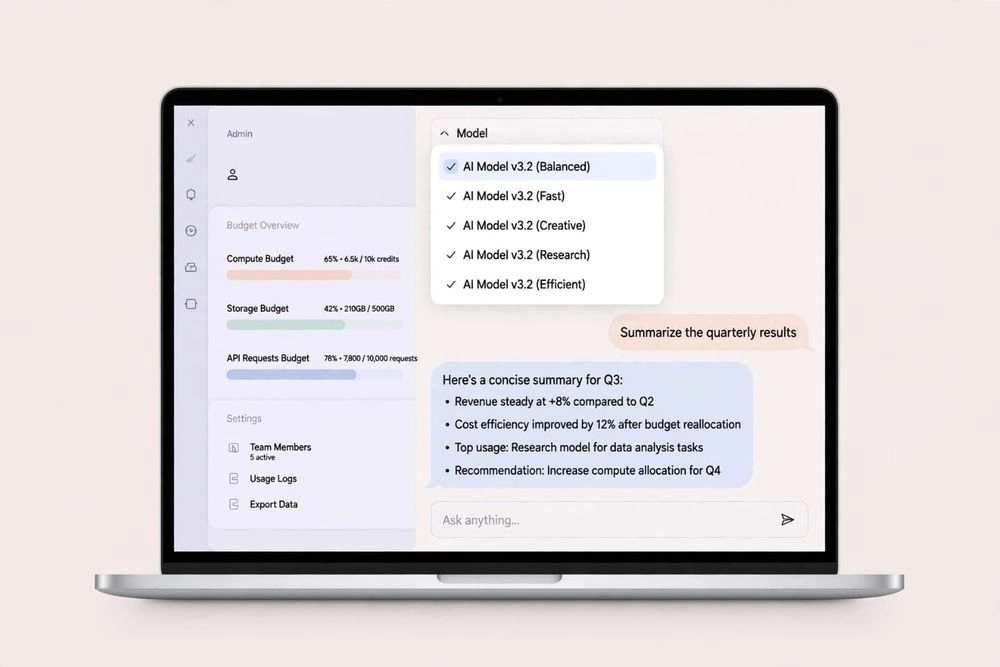
What you get: A private, company-branded AI chat workspace where your team can use OpenAI, Claude, Gemini, Mistral and open-source models from one window. Admins get SSO, audit trails, built-in detection of personal data (PII) in prompts, and spending caps per user, department or project. It also connects to tools like Jira, Confluence and Google Drive. Teams that prefer to run everything themselves can deploy an open-source edition in their own AWS account.
Best for: Growing companies where usage is uneven, teams that want to pick the best AI model for each task, and anyone trying to end shadow AI without signing a large per-seat contract.
The catch: Grengin runs on your own API keys. You create accounts with OpenAI, Anthropic or Google and pay them directly for what your team actually uses. So Grengin’s price is the platform, not the whole bill.
All five side by side: yearly cost in USD
| Tool | 10 people | 30 people | 100 people | Not included |
|---|---|---|---|---|
| ChatGPT Business (Standard) | $2,400 | $7,200 | $24,000 | Premium usage tier |
| Claude Team (Standard) | $2,400 | $7,200 | $24,000 | Premium usage tier |
| Microsoft 365 Copilot Business | $2,520 | $7,560 | $25,200 | A Microsoft 365 plan per user |
| Gemini in Google Workspace (Business Standard) | $1,680 | $5,040 | $16,800 | Nothing extra for AI; includes email and docs |
| Grengin | $200 | $500 | $1,500 | AI usage, billed by your model provider |
Annual plans at list price, before sales tax or VAT.
Wait, why is one row so much smaller?
Because it is not measuring the same thing, and any honest comparison has to say so.
The first four tools bundle AI usage into the price. Grengin is a workspace where you bring your own API keys and pay the model providers directly for what your team uses. Its fee covers the chat interface, the security layer and the admin controls. So the real question is: what will the usage bill be?
The stress test: assume everyone maxes out
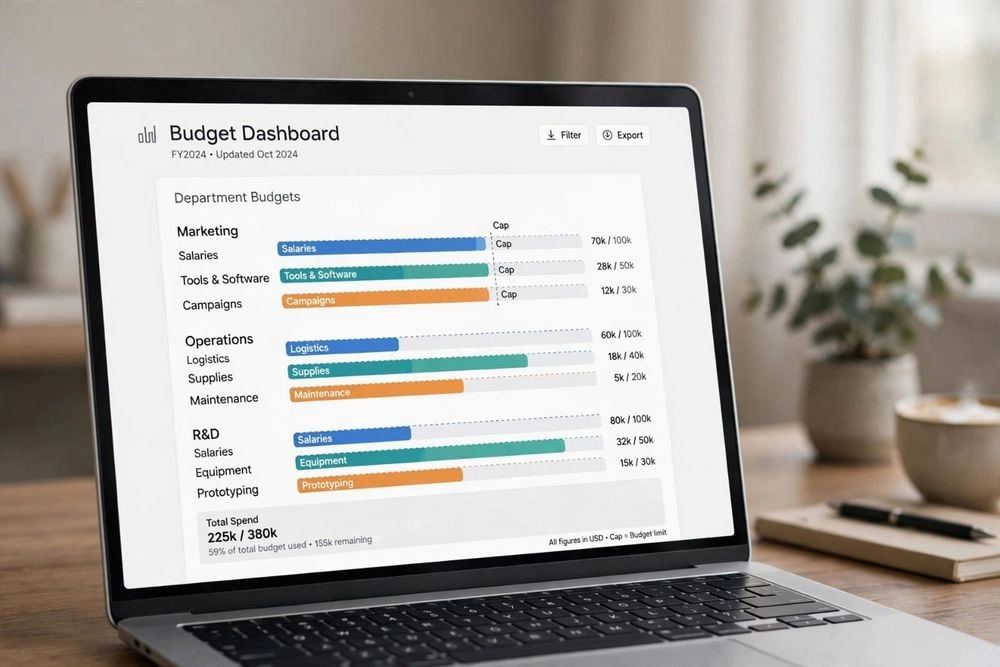
Grengin lets admins cap spending per user, department or project. That turns an unpredictable bill into a worst case you choose in advance.
Take the 100-person agency. Set a cap of $10 per person per month. Even if every single employee hit that cap every month:
- API usage: 100 × $10 = $1,000 a month
- Platform: $150 a month
- Worst case: $1,150 a month
The same 100 people on annual ChatGPT Business or Claude Team Standard seats cost $2,000 a month. In practice, most of those 100 people will never come near the cap. But your developers and content team might need a higher one, so run a pilot and set caps by role, not by guesswork.
Five questions to ask before you buy any of them
1. Where does our data go? Data rules are tightening almost everywhere, from GDPR in Europe to new privacy laws across Asia and the Americas. Ask every vendor where prompts are processed and stored, and whether they are used for training. All five tools here offer business plans that keep your data out of model training. Grengin can also run inside your own cloud account, so traffic goes straight from your environment to the model provider.
2. Can we switch AI models later? A single-lab plan gives you that lab’s models. A multi-model workspace lets a team use one model for writing and another for coding, which matters when a better model ships every few months.
3. Can we pay in our own currency? Outside the US, dollar-billed tools move with the exchange rate, and many banks add a foreign transaction fee on card payments. Check whether a vendor bills locally in euros, pounds, rupees or your own currency.
4. Will we get a proper tax invoice? If your business reclaims VAT or GST, you need an invoice that shows it correctly. Confirm this before paying any overseas vendor by card.
5. Who will manage it? Seat plans need almost no setup. A bring-your-own-keys tool needs someone to create API accounts, set caps and watch the first month’s bill. In a small team, that is usually the founder or the head of operations. Budget an afternoon.
So which one should you pick?
- Already on Google Workspace? Start with Gemini. You are probably paying for it already.
- Living in Outlook and Excel? Microsoft 365 Copilot Business fits right into the workday, as long as you budget for the base plan.
- Small team of daily heavy users who want zero setup? ChatGPT Business or Claude Team. Pick the one your team prefers after a week of trying both.
- Growing fast, usage uneven, budget tight? A flat-fee workspace on your own keys, like Grengin, is worth a 30-day pilot.
Either way, stop letting your team use AI through personal accounts. That is the most expensive option of all, and it does not show up on any invoice until something leaks.