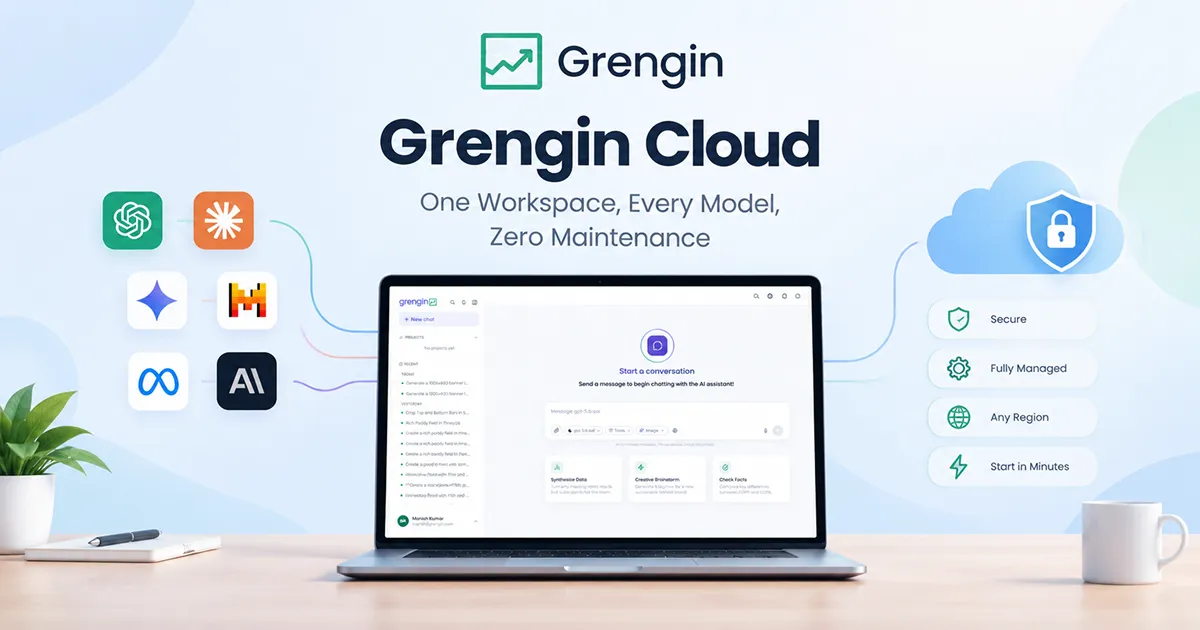
Let’s be honest about how most companies end up handling AI. Either everyone quietly uses ChatGPT on their personal account and nobody knows what data is going out the door, or IT locks it all down and people just go back to old habits, slower ones. Neither is great. That’s the gap Grengin was built to close: one workspace where your team can use the AI models they actually want, but with the admin controls your IT and security teams need to sleep at night.
Up to now, the only way to run Grengin was to host it yourself, either as a pre-built VM from the AWS Marketplace, or by pulling the code straight from GitHub and building it yourself if you want full control over the stack. It’s free, open-source software (Apache 2.0), either way. That’s still a solid option if you’ve got the infrastructure and the people to run it. But let’s not pretend “free software” means “free of work.” Someone still has to provision the server, renew the TLS certificate, apply patches, and keep an eye on uptime. For a lot of IT teams, that’s just not a good use of time.
So starting September 23, there’s more than one way to run Grengin, and most of them cost nothing. Self-hosting, whether that’s the AWS Marketplace VM or building from source on GitHub, stays completely free, forever, exactly like it’s always been, you only ever pay your own hosting provider, never us. On Grengin Cloud, Cloud Starter is free for teams of up to 10 people. If your team is bigger than that, you’ll want Cloud Pro instead, $1.25 per person, per month, hosting included, with no minimum seat count and a 14-day free trial before you’re charged anything. Need a dedicated server with our team setting it up for you? That’s the Enterprise plan, starting at $500 a month.
Why we’re doing this
Self-hosting works fine if you’ve got a DevOps team with spare capacity. Most companies don’t. They just want their people using AI safely, without waiting weeks for infrastructure to get provisioned, and without a 2 a.m. page because a certificate expired.
Every week your rollout stalls is a week people fall back on tools you can’t see or control. That’s the real cost of “we’ll get to hosting it eventually” — it’s not really an infrastructure problem, it’s a speed problem. Grengin Cloud is our answer to that: same governance, same model access, none of the ops work, and for most teams, no bill either.
The five ways to run Grengin
All five options run the exact same Grengin platform underneath — same features, same code, same governance. The only things that change are who manages the servers and what you pay.
| Self-Hosted (AWS Marketplace) | Self-Hosted (from source) | Cloud Starter | Cloud Pro | Enterprise | |
|---|---|---|---|---|---|
| Price | Free software (you only pay your own AWS compute) | Free software (you only pay your own hosting) | Free | $1.25/user/month, no seat minimum | From $500/month |
| Team size | Any | Any | Up to 10 people | 11+ people | Any, built for large orgs |
| Who manages the servers | You | You | Grengin | Grengin | Grengin, on a dedicated server |
| Hosting included | You provide it | You provide it | Yes | Yes | Yes, dedicated |
| Free trial | Not needed, it’s free | Not needed, it’s free | Not needed, it’s free | 14 days | Talk to us |
| Best for | Teams who want a pre-built VM, live in ~5 minutes | Teams who want to inspect or customize the code, or run it outside AWS | Small teams trying Grengin Cloud for the first time | Growing teams that want everything managed | Large orgs needing dedicated infrastructure and hands-on setup |
If you’ve got infra people and want full control, self-host, either the pre-built AWS Marketplace VM if you want to be live in minutes, or straight from the GitHub source if you want to build and customize it yourself. Either way, it costs nothing but your own hosting bill, same as day one. If your team is 10 people or under, Cloud Starter gets you the whole managed platform free, no strings attached. Bigger than that, and Cloud Pro is the plan to pick, $1.25 per person a month, no seat minimums to hit first. And if you need a dedicated server with our team handling setup, that’s Enterprise.
What’s included on Grengin Cloud
Whether you’re on the free Starter tier or the $1.25/user Pro tier, managed hosting means the same thing:
- Patching and updates, handled for you. New features and security fixes roll out automatically. No “we’re a few versions behind and scared to upgrade” situation.
- An encrypted key vault. Your API keys for OpenAI, Anthropic, Google, Mistral, whichever providers you use, sit encrypted at rest and scoped to your workspace only.
- No servers to babysit. No EC2 instances, no containers to patch, no TLS renewals on your calendar.
One thing that doesn’t change across any plan: you still bring your own AI provider keys and pay those providers directly. We don’t mark up model usage on any plan, Cloud or self-hosted. The $1.25 per person on Cloud Pro is for the platform and the hosting, full stop.
You don’t have to take our word for any of it first, either. If your team is 10 people or under, Cloud Starter is already free, just sign up and go. If you’re bigger than that, Cloud Pro comes with a full 14-day free trial before the $1.25/user/month kicks in.
What’s actually inside the workspace
Managed hosting is just the delivery method. Here’s the platform itself, which is identical no matter which plan you’re on.
| Area | What it does |
|---|---|
| AI Engines | Connect and manage provider API keys, whitelist which models each team can use, set an org-wide default model |
| Multi-model chat | Talk to GPT, Claude, Gemini, Mistral, plus fast inference via Groq and Cerebras, switching models mid-conversation |
| Control Hub | The admin console: users, departments, roles, permissions, budget caps, all in one place |
| SSO & access control | Google Workspace, Microsoft Azure AD, or any SAML/OIDC provider like Okta and Auth0 |
| PII detection | Automatically flags and redacts sensitive data in prompts |
| Audit logs | Exportable record of every prompt, model call, and admin action |
| Analytics | Usage by team, cost by user/project, ROI estimates, exec-ready summary reports |
| Integrations | Google Workspace, Microsoft 365, Slack, and MCP for tools like Jira and Confluence |
None of that is a “pay more, get more” perk, it’s just Grengin, on every plan including the free ones. Enterprise workspaces get all of it on a dedicated server with hands-on setup from our team, same software, just more headroom.
No lock-in, on purpose
We open-sourced Grengin because we didn’t want customers stuck betting their AI infrastructure on us forever. That thinking carries over into every Grengin Cloud plan: every workspace supports one-click export and import between self-hosted and managed. Start on Cloud Starter or Cloud Pro to get moving fast, and move to your own AWS account later if you build out an infra team. Or go the other way, already self-hosting but tired of maintaining it? Import your workspace into Grengin Cloud and hand off the ops work.
Most managed AI platforms are the only way to run their software. Grengin gives you five, and moving between them takes a few clicks, not a migration project.
How Grengin stacks up against the alternatives
You’ve got options here. ChatGPT Enterprise, Microsoft 365 Copilot, and open-source tools like LibreChat and Open WebUI are the ones we get asked about most. Here’s the honest comparison.
| ChatGPT Enterprise | LibreChat / Open WebUI | Grengin | |
|---|---|---|---|
| Pricing | ~$60/user/month, 150-seat minimum reported | Free software, but you own the ops bill | Self-host: free. Cloud: free up to 10 people, then $1.25/user/month, no minimum. Enterprise from $500/month |
| Model access | OpenAI only | Whatever you wire up yourself | OpenAI, Anthropic, Gemini, Mistral, Groq, Cerebras, and more |
| SSO / access control | Workspace-level only | Manual setup, no native SCIM | Built-in SSO, SCIM 2.0, role-based access, on every plan |
| Cost tracking & budget caps | Workspace-level analytics | Basic token balances, no rollups | Per-user, per-department, per-project, with hard caps |
| PII detection | Not built in | Not native | Built in |
| Audit logs | Limited | Basic | Built in, exportable |
| Time to first login | Days to weeks (sales cycle + provisioning) | 30 minutes to a full day, longer with SSO | ~5 minutes self-hosted, minutes on Cloud |
| Who hosts it | OpenAI’s infrastructure only | You, always, with no managed option | Your AWS account, straight from source, or Grengin Cloud |
Why not just use ChatGPT Enterprise? It’s a fine product, but you’re locked into one model family, a 150-seat minimum, and a price around $60/seat a month, a real number before anyone’s even sent a prompt. Grengin gives your team GPT, Claude, Gemini, and more from one place, free for teams under 10, and just $1.25 per person a month once you grow, with no seat minimum to clear first, less than a tenth of what ChatGPT Enterprise charges per seat.
Why not just self-host LibreChat or Open WebUI? Both are genuinely good open-source chat interfaces, and if all you need is a UI in front of an API key, either one will do the job. But that’s what they are: a chat UI, not a governed platform. Get past the demo and you’re bolting on your own reverse proxy, SSL certs, a database, an SSO integration, and some kind of gateway for cost caps and PII detection, because none of that ships in the box. We’ve seen real-world LibreChat deployments for 50 users land somewhere between $16,000 and $45,400 a year once you count the extra infrastructure and glue. A comparable Grengin self-hosted setup runs closer to $720–$1,440 a year in AWS compute, because the governance layer, budgets, PII detection, audit logs, SSO, is already built in, not something you’re assembling from parts. Or skip managing servers entirely: Cloud Starter is free for teams under 10.
Why not Microsoft 365 Copilot? Copilot is a solid pick if your company already lives entirely inside Microsoft’s ecosystem and you don’t mind being tied to it. But it requires an E3/E5 license on top of its own per-seat fee, it’s OpenAI-via-Azure only, and it doesn’t play well outside the Microsoft stack. Grengin works with Google Workspace, Slack, Notion, Microsoft tools, or any mix of them, and isn’t tied to a single model provider.
The short version: the others make you choose between “easy to set up” and “actually governed.” Grengin doesn’t ask you to choose, and for most teams, it barely asks you to pay either.
Who should actually use this
If you’re a small team, start on Cloud Starter, it’s free and the whole platform is there from day one. Bigger than 10 people and want zero ops work? Cloud Pro is $1.25 per person a month, try it free for 14 days first. Already self-hosting and happy managing your own servers? Stay there, it’s still free, always has been. And if you need dedicated infrastructure with our team handling setup, that’s what Enterprise is for.
FAQ
Is Grengin Cloud a different product from self-hosted Grengin? No. Same platform, same features, same code. Grengin Cloud just means we run the servers instead of you.
How much does Grengin actually cost? Depends how you run it. Self-hosting, whether that’s the AWS Marketplace VM or building from source on GitHub, is free, forever, you only pay your own hosting bill. On Grengin Cloud, teams of up to 10 people can use Cloud Starter for free. If your team is bigger than 10, you’ll pick Cloud Pro instead, at $1.25 per person, per month, no minimum seats required. Need a dedicated server and hands-on setup from us? That’s Enterprise, starting at $500/month.
What’s the difference between the AWS Marketplace VM and running from source? Same software either way. The Marketplace VM is pre-built, so you’re live in about 5 minutes. Running from source means cloning the GitHub repo and building it yourself, more setup work, but full visibility into the code and the freedom to run it anywhere, not just AWS.
Does the price cover AI model usage too? No, that’s just the platform and hosting fee. You bring your own provider API keys (OpenAI, Anthropic, etc.) and pay those providers directly at their normal rates. We don’t add a markup, on any plan.
What happens when my team grows past 10 people on Cloud Starter? Cloud Starter tops out at 10 people, it’s a plan for small teams, not an auto-billing threshold. To add an 11th person, you’ll switch over to Cloud Pro, billed at $1.25 per person, per month, with no seat minimum, so it scales with your team instead of punishing you for growing it.
Is Cloud Pro billed per user or per workspace? Per user. $1.25/month for each person you add, with no minimum headcount required.
Is there a free trial? Cloud Pro comes with a 14-day free trial, full access. Cloud Starter is already free, so there’s nothing to trial. Enterprise is set up directly with our team, talk to us to scope it out.
What do I get with Enterprise that I don’t get on Cloud Pro? A dedicated server and hands-on setup from our team, on top of everything else. Talk to us if that’s what you need.
Can I move from self-hosted to Grengin Cloud later, or the other way around? Yes, either direction, with one-click export and import, on any plan. No lock-in, no re-entering data.
Where is my data stored? You choose the region when you set up your workspace. API keys sit in an encrypted vault scoped to your workspace.
Is my data used to train AI models? No. That’s true on every plan, Cloud or self-hosted, it’s a flat guarantee, not a paid-tier feature.
Do I still need SSO, audit logs, and PII redaction set up separately? No, they’re built in on every plan, including the free ones.
When does it actually launch? September 23. Workspaces open that day.
Starting September 23
Grengin Cloud opens on September 23. Self-hosting, AWS Marketplace VM or straight from source, stays free, like always. Teams of up to 10 people get Grengin Cloud free on Cloud Starter. Bigger team? Pick Cloud Pro instead, $1.25 per person, per month, no seat minimums, with a 14-day free trial before you pay anything. Need a dedicated server and hands-on setup? Enterprise starts at $500/month, talk to us.
Already self-hosting? Migrating over is a one-click export and import, no starting from scratch. Decide managed hosting isn’t for you later? Moving back to self-hosted is just as easy, and still free.
One workspace. Every model. Zero maintenance. See you on September 23.