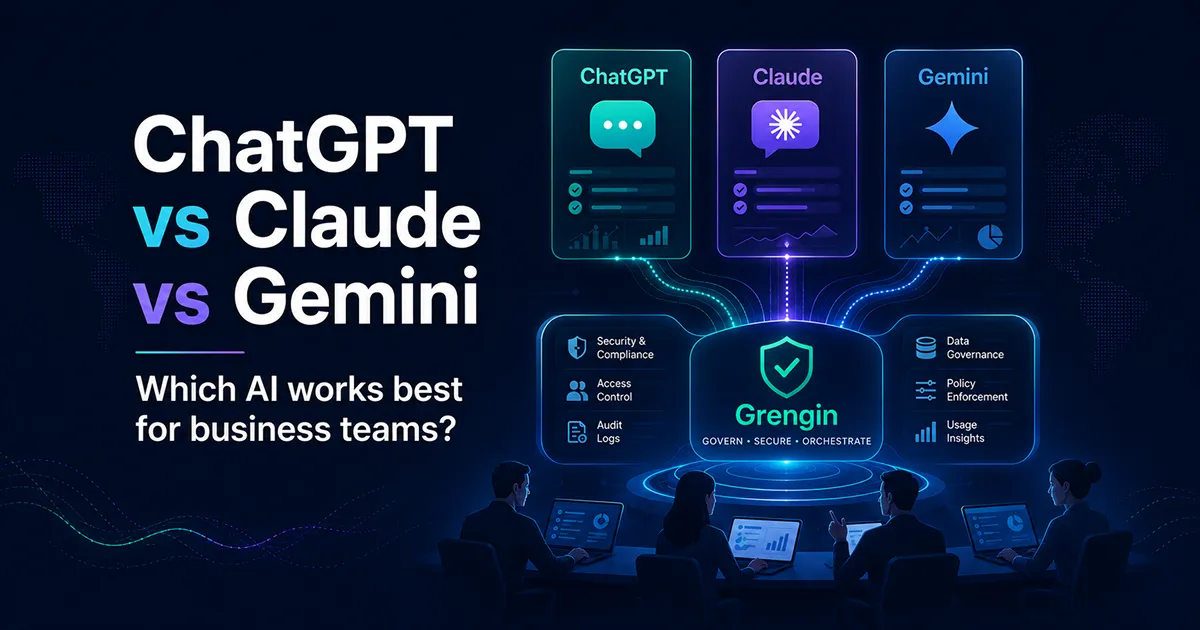
The short answer: ChatGPT is the strongest all-round business assistant, Claude is excellent for deep work and engineering, Gemini is best for Google Workspace teams, and Grengin is the smartest option when you want one governed AI workspace across multiple models.
AI tools are no longer side experiments. Business teams now use AI to write proposals, summarize meetings, analyze documents, build internal knowledge assistants, review code, answer customer questions, and speed up daily operations.
But one question keeps coming back:
Should your business team use ChatGPT, Claude, Gemini, or a multi-model platform like Grengin?
The answer depends less on which model sounds smartest and more on which setup actually works inside a company: your tools, your data rules, your budget, your teams, and your security needs.
This guide compares ChatGPT, Claude, Gemini, and Grengin from a practical business perspective.
Quick Jump
- TL;DR decision table
- At-a-glance comparison
- ChatGPT for business teams
- Claude for business teams
- Gemini for business teams
- Where Grengin fits
- Department recommendations
- 30-day pilot plan
- Final verdict
Open this if you only have 30 seconds
- Choose ChatGPT if your team wants one flexible AI assistant for writing, analysis, coding, and daily productivity.
- Choose Claude if your team does deep reasoning, long-form writing, legal/policy review, or engineering work.
- Choose Gemini if your team already lives in Gmail, Docs, Sheets, Slides, Meet, Drive, and Chat.
- Choose Grengin if your company wants governed access to multiple models with SSO, cost controls, PII detection, audit trails, and less vendor lock-in.
TL;DR: The Best Choice by Business Need
| Business need | Best choice | Why it works | Where Grengin helps |
|---|---|---|---|
| One AI assistant for most teams | ChatGPT | Strong across writing, analysis, coding, research, documents, and app-connected workflows | Grengin can make ChatGPT available inside a governed multi-model workspace |
| Deep analysis, long-form writing, coding | Claude | Strong for reasoning-heavy work, drafting, editing, code tasks, and structured thinking | Grengin lets teams use Claude where it is best without forcing a company-wide switch |
| Gmail, Docs, Sheets, Slides, Meet, Drive | Gemini | Native fit for Google Workspace workflows and in-app productivity | Grengin can complement Gemini when teams also need ChatGPT, Claude, or open-source models |
| AI governance, cost control, multi-model access | Grengin | One branded workspace for multiple LLMs with admin controls, SSO, cost tracking, PII detection, and audit trails | This is Grengin’s core role: the control layer above the models |
| Avoiding vendor lock-in | Grengin | Teams can route work to OpenAI, Anthropic Claude, Google Gemini, and open-source models from one place | Grengin keeps AI flexible as models and prices change |
The Real Question: Which AI Model Works Best Inside a Business?
Most AI comparisons focus on model intelligence. That is useful, but it is not enough for a business buyer.
A business team needs to know:
- Can employees use it without switching tools all day?
- Can IT control access and data exposure?
- Can finance track usage and prevent surprise costs?
- Can teams use the best model for each task?
- Can leadership measure adoption and value?
- Can the company avoid risky shadow AI usage?
That is why ChatGPT vs Claude vs Gemini is not only a model comparison. It is also an operating model decision.
Grengin angle: If different teams prefer different models, Grengin gives the organization one governed place to use them instead of letting every department manage separate AI accounts.
At-a-Glance Comparison
| Category | ChatGPT | Claude | Gemini | Grengin |
|---|---|---|---|---|
| Best overall use case | General business productivity | Deep work, writing, coding | Google Workspace productivity | Governed multi-model AI workspace |
| Strongest team fit | Cross-functional teams | Strategy, legal, product, engineering | Google-native teams | IT, finance, operations, leadership |
| Internal knowledge workflows | Strong, especially with company knowledge and app integrations | Strong in enterprise search and connected workflows | Strong inside Google Workspace | Adds unified governance across tools and models |
| Coding | Strong, especially with Codex access in business plans | Strong, especially with Claude Code | Useful, especially in Google ecosystem | Lets teams choose the best model per coding task |
| Workspace integration | Broad app integrations | Connectors, enterprise search, Claude Code/Cowork | Deep Gmail, Docs, Meet, Drive integration | Integrates with tools like Jira, Confluence, Google Drive, and MCP according to Grengin |
| Governance | Business and Enterprise controls | Team and Enterprise controls | Workspace admin and security controls | SSO, policies, PII detection, audit trails, cost controls |
| Best buying logic | “We need one powerful AI assistant.” | “We need careful reasoning and engineering help.” | “We already live in Google Workspace.” | “We need control, flexibility, and multi-model choice.” |
ChatGPT for Business Teams
ChatGPT is the easiest default recommendation for many business teams because it is broad. It can help with marketing copy, sales emails, policy summaries, financial analysis, spreadsheets, customer research, code, planning documents, and meeting prep.
OpenAI’s business pages list features such as apps, data analysis, record mode, canvas, shared projects, custom workspace GPTs, Codex access, encryption at rest and in transit, and no training on business data by default for ChatGPT Business. OpenAI also describes app integrations that connect ChatGPT to business tools for context, automation, and secure workflows. OpenAI’s company knowledge feature connects ChatGPT to workplace sources such as Slack, SharePoint, Google Drive, and GitHub so responses can be grounded in internal company information with citations.
Where ChatGPT shines
| Use case | Why ChatGPT is strong |
|---|---|
| Marketing | Campaign ideas, landing pages, SEO outlines, ad copy, email sequences |
| Sales | Account research, call prep, CRM-style summaries, proposal drafts |
| Operations | SOP drafts, process documentation, project planning |
| Finance | Spreadsheet explanations, variance analysis, board-report drafts |
| Product | PRDs, customer feedback summaries, roadmap communication |
| Engineering | Code review, debugging, documentation, agentic coding workflows |
Watch-outs
ChatGPT is very strong, but a business still needs policies. Without governance, employees may paste sensitive data into personal accounts, use inconsistent prompts, or create duplicate AI workflows across departments.
Grengin move: Use ChatGPT through Grengin when you want ChatGPT’s power plus centralized admin control, user policies, audit trails, cost visibility, and multi-model fallback.
Claude for Business Teams
Claude is a strong choice for teams that care about careful reasoning, long documents, thoughtful writing, coding, and complex analysis.
Anthropic’s Claude pricing page lists Team and Enterprise capabilities such as Claude Code, Claude Cowork, Microsoft 365 connection, enterprise search, central billing and administration, SSO, connector controls, usage analytics, audit logs, compliance features, custom data retention controls, and no model training on content by default. Anthropic also positions Claude Enterprise for organization-wide deployment with governance, data controls, and admin infrastructure for IT and security teams.
Where Claude shines
| Use case | Why Claude is strong |
|---|---|
| Executive memos | Clear, structured, nuanced writing |
| Legal and policy review | Careful comparison of clauses, risks, and alternatives |
| Product strategy | Deep synthesis, scenario planning, structured recommendations |
| Engineering | Claude Code, code reasoning, debugging, architecture help |
| Research | Long-form summarization and careful argumentation |
Watch-outs
Claude may be the best choice for deep work, but not every team wants to move its daily workflows into Claude. A Google-heavy organization may still prefer Gemini in Workspace. A sales or operations team may prefer ChatGPT for broad tasks.
Grengin move: Put Claude inside Grengin as a specialized model for strategy, writing, engineering, and complex reasoning while keeping other models available for other departments.
Gemini for Business Teams
Gemini is the easiest AI choice for companies that already live in Google Workspace. The advantage is workflow proximity: users can access AI help where they already write emails, create docs, join meetings, and manage files.
Google says Workspace plans include access to the Gemini app, NotebookLM, and Gemini in Gmail, Docs, Meet, and more. Google also lists Workspace features such as Gemini in the side panel of Gmail, Docs, Sheets, Slides, Drive, and Chat; “Help me write” in Gmail and Docs; “Take notes for me” in Meet; NotebookLM; and Workspace Studio for no-code automation.
Where Gemini shines
| Use case | Why Gemini is strong |
|---|---|
| Gmail | Drafting, summarizing, rewriting, and organizing email communication |
| Docs | Writing, editing, and summarizing business documents |
| Meet | Meeting notes and follow-up summaries |
| Drive | Working with files already stored in Google Workspace |
| NotebookLM | Source-grounded knowledge work and team research |
| Workspace automation | No-code workflow automation through Workspace Studio |
Watch-outs
Gemini is excellent for Google-native teams, but not every business workflow lives inside Google Workspace. Some teams may still prefer ChatGPT for general productivity or Claude for deep reasoning and engineering tasks.
Grengin move: Keep Gemini for Google Workspace productivity, but use Grengin when the business also wants ChatGPT, Claude, open-source models, cost controls, and unified governance.
Grengin: The Governance Layer Above ChatGPT, Claude, and Gemini
The most practical AI strategy for many companies is not “choose one model forever.” It is choose the right model for the right task while keeping governance centralized.
That is where Grengin fits.
Grengin describes itself as an enterprise AI platform and governance layer with SSO, centralized user management, policies by department or project, real-time cost tracking, budget alerts, hard caps per user or team, PII detection, and audit trails.
The AWS Marketplace listing describes Grengin as a self-hosted, multi-LLM AI workspace that gives governed access to OpenAI, Anthropic Claude, Google Gemini, and open-source models in one branded chat workspace. The listing also highlights bring-your-own API keys, data staying on your own infrastructure when self-hosted, admin controls, SSO, PII detection, audit trails, per-user cost limits, and reduced vendor lock-in.
What Grengin solves
| Problem | Why it matters | Grengin’s role |
|---|---|---|
| Shadow AI | Employees use personal AI accounts without oversight | Provide one approved AI workspace |
| Vendor lock-in | Teams get stuck with one model even when another improves | Offer multi-model access from one place |
| Cost surprises | AI usage grows without budget visibility | Track usage and apply spend limits |
| Data exposure | Sensitive data may be pasted into unmanaged tools | Add policies, PII detection, and audit trails |
| Department mismatch | Marketing, engineering, sales, and ops need different models | Let each team use the model that fits its work |
| Leadership blind spots | Executives cannot see adoption or ROI | Centralize reporting and usage insights |
Simple framing: ChatGPT, Claude, and Gemini are the engines. Grengin is the control room.
Department-by-Department Recommendations
| Team | Best default | Backup / specialist model | Grengin recommendation |
|---|---|---|---|
| Marketing | ChatGPT | Claude for long-form thought leadership | Use Grengin to standardize brand prompts and track content workflows |
| Sales | ChatGPT | Gemini if sales works mostly in Gmail | Use Grengin to control account-data access and reduce shadow AI |
| Engineering | Claude | ChatGPT for broader coding and documentation | Use Grengin to compare models and control API/model costs |
| Customer Support | ChatGPT | Gemini if support content lives in Drive | Use Grengin to restrict sensitive customer data and audit usage |
| HR | Claude | ChatGPT for templates and FAQs | Use Grengin for PII detection and policy-based access |
| Finance | ChatGPT | Claude for narrative analysis | Use Grengin to add budget caps and keep financial data governed |
| Leadership | ChatGPT | Claude for strategic memos | Use Grengin for executive visibility into AI adoption and spend |
| IT / Security | Grengin | ChatGPT, Claude, Gemini as approved engines | Use Grengin as the primary AI governance layer |
Decision Tree: Which One Should Your Team Choose?
Use this quick path:
-
Are you a Google Workspace-first company?
Start with Gemini for daily productivity. -
Do you need one general-purpose AI assistant for many departments?
Start with ChatGPT. -
Do you do a lot of complex writing, reasoning, legal review, or engineering work?
Add Claude. -
Do different teams want different models?
Use Grengin. -
Do you care about SSO, audit trails, PII detection, cost limits, and vendor flexibility?
Use Grengin as the governance layer.
The Business Buyer’s Scorecard
Score each option from 1 to 5 for your team.
| Evaluation area | ChatGPT | Claude | Gemini | Grengin |
|---|---|---|---|---|
| General productivity | 5 | 4 | 4 | 4 |
| Deep reasoning | 4 | 5 | 4 | Depends on selected model |
| Coding support | 5 | 5 | 4 | Depends on selected model |
| Google Workspace fit | 3 | 3 | 5 | 4 |
| Multi-model flexibility | 2 | 2 | 2 | 5 |
| IT governance | 4 | 4 | 4 | 5 |
| Cost visibility across models | 3 | 3 | 3 | 5 |
| Vendor lock-in reduction | 2 | 2 | 2 | 5 |
Interpretation:
- If your highest score is general productivity, choose ChatGPT.
- If your highest score is deep reasoning or coding, choose Claude.
- If your highest score is Google Workspace fit, choose Gemini.
- If your highest score is governance, visibility, and flexibility, choose Grengin.
Pilot Plan: How to Test This in 30 Days
Do not roll out AI across the whole company on day one. Run a controlled pilot.
Week 1: Pick use cases
Choose 3 to 5 measurable workflows:
- Sales proposal drafting
- Customer support response improvement
- Meeting summary and action-item extraction
- Code review and documentation
- Internal policy Q&A
- Marketing content production
- Finance report explanation
Week 2: Assign models
| Workflow | Suggested model |
|---|---|
| General writing and productivity | ChatGPT |
| Strategy memo or policy analysis | Claude |
| Gmail, Docs, Meet workflows | Gemini |
| Sensitive or multi-model workflows | Grengin |
Week 3: Add governance
Create rules before usage scales:
- What data can users paste into AI?
- Which teams can access which models?
- Which use cases need approval?
- What should be logged?
- What budget limits apply by team?
- Which outputs need human review?
Grengin move: Use Grengin here to define policies by department or project, detect PII, monitor usage, and apply budget controls.
Week 4: Measure results
Track practical outcomes:
| Metric | What to measure |
|---|---|
| Time saved | Hours reduced per workflow |
| Quality | Human review scores before and after AI |
| Adoption | Active users by department |
| Risk | Policy violations or sensitive-data attempts |
| Cost | Spend by model, user, department, and project |
| Reuse | Prompt templates or workflows reused by teams |
Common Mistake: Choosing the Model Before Choosing the Policy
Many companies start by asking, “Which model is best?”
A better question is:
“What AI work should our people be allowed to do, with which data, under which controls?”
Once you answer that, the model decision gets easier.
| Policy question | Why it matters |
|---|---|
| Can employees upload customer data? | Prevents privacy and compliance risk |
| Can teams use personal AI accounts? | Reduces shadow AI |
| Who can use coding agents? | Controls software and security risk |
| Which models are approved? | Prevents fragmented procurement |
| Who owns AI cost? | Prevents surprise spend |
| Do outputs need review? | Prevents hallucinated or risky final work |
Grengin angle: Grengin is useful because it moves AI adoption from “everyone picks their favorite chatbot” to “the company provides approved AI access with controls.”
Copy-Paste AI Rollout Checklist
Use this section as an internal planning checklist before rolling out any AI model.
Security and compliance checklist
- [ ] Define which data employees can and cannot paste into AI tools.
- [ ] Disable unmanaged personal AI use for sensitive work.
- [ ] Use SSO and centralized user management where available.
- [ ] Require human review for legal, financial, HR, and customer-facing outputs.
- [ ] Keep audit trails for high-risk departments.
- [ ] Use PII detection for HR, finance, sales, and support workflows.
- [ ] Review data retention and model-training defaults for each vendor.
Grengin fit: Grengin is especially useful when this checklist needs to apply across ChatGPT, Claude, Gemini, and open-source models from one workspace.
Finance and operations checklist
- [ ] Track AI usage by model, user, department, and project.
- [ ] Set budget limits before broad rollout.
- [ ] Compare cost per successful workflow, not just subscription price.
- [ ] Identify duplicated AI subscriptions across teams.
- [ ] Decide which workflows justify premium models and which can use cheaper models.
- [ ] Review adoption monthly with department leaders.
Grengin fit: Grengin helps finance and operations teams see usage patterns and prevent model spend from becoming invisible SaaS sprawl.
Team adoption checklist
- [ ] Pick 3 to 5 repeatable workflows for the pilot.
- [ ] Create reusable prompts and templates.
- [ ] Train managers first, then teams.
- [ ] Build a shared library of approved use cases.
- [ ] Measure time saved, quality improvement, risk events, and adoption.
- [ ] Keep a human owner for each AI-assisted process.
Grengin fit: Grengin can help turn scattered experimentation into an approved, measurable AI program.
Final Verdict
| If your business wants… | Choose… |
|---|---|
| The best all-round assistant | ChatGPT |
| The best deep-work and coding partner | Claude |
| The best Google Workspace experience | Gemini |
| The best governed multi-model setup | Grengin |
The practical recommendation
For a small team, start with the tool that matches your daily work:
- Use ChatGPT if you need broad productivity.
- Use Claude if your work is reasoning-heavy.
- Use Gemini if you live in Google Workspace.
For a growing company, the better long-term strategy is different:
Use Grengin as the AI governance layer, then let teams access ChatGPT, Claude, Gemini, and open-source models based on the task.
That approach gives employees choice, gives IT control, gives finance cost visibility, and gives leadership a clearer view of AI adoption.
FAQ
Is ChatGPT better than Claude for business?
ChatGPT is usually better as a general-purpose business assistant. Claude is often better for deep reasoning, long-form writing, careful analysis, and code-heavy workflows. Many companies can benefit from both.
Is Gemini better for Google Workspace teams?
Yes, Gemini is the most natural option when your company already works heavily in Gmail, Docs, Sheets, Slides, Meet, Drive, and Chat. Its biggest advantage is that it appears inside the tools employees already use.
Why use Grengin instead of choosing only one model?
Because business teams rarely have one AI need. Marketing may prefer ChatGPT, engineering may prefer Claude, operations may use Gemini, and IT may need control across all of them. Grengin gives one governed workspace for multi-model access.
Does Grengin replace ChatGPT, Claude, or Gemini?
No. Grengin works above them. Think of Grengin as the governed workspace and control layer, while ChatGPT, Claude, Gemini, and open-source models are the AI engines teams can use.
What is the safest AI strategy for business teams?
The safest strategy is to combine model choice with governance: approved tools, SSO, usage visibility, data policies, PII detection, audit trails, cost controls, and human review for high-risk outputs. That is the type of environment Grengin is designed to support.